DigiCard: Digital Visiting Card Builder
Self-hosted digital visiting cards for Indian professionals, shops and agencies. Each card is one link and a printable QR code with tap-to-call, WhatsApp, Save contact, services with prices, a gallery, business hours, UPI payment and an enquiry form.
For card owners
- Photo, cover, logo, contact buttons, socials
- Services with prices, gallery, business hours
- UPI QR, Pay via UPI, bank details
- Enquiry form and inbox with CSV export
For you (the admin)
- Many users, each with their own cards
- Open or close sign-ups, limit cards per user
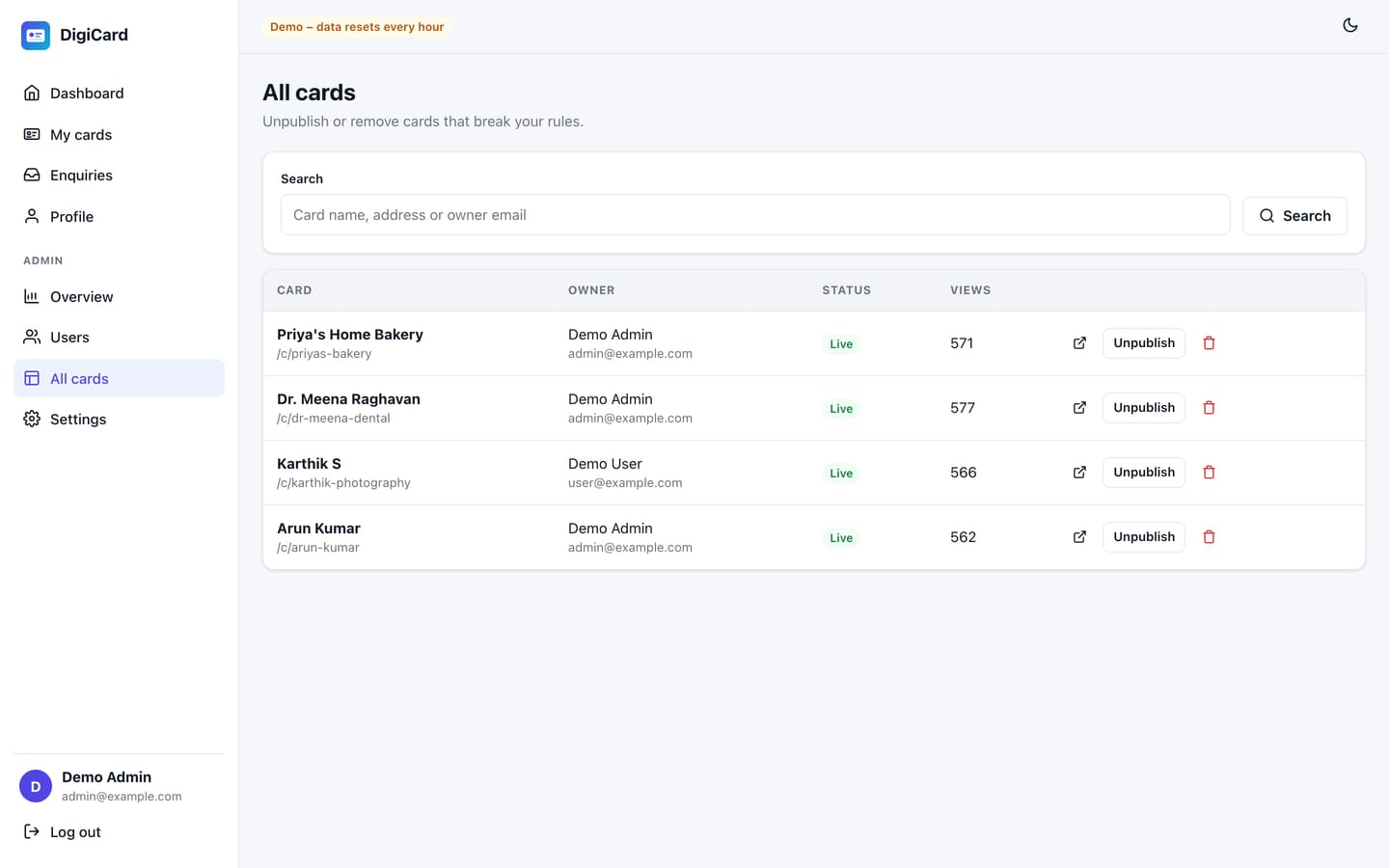
- Unpublish or delete any card
- SMTP email with a test button
Install & run
- 3-step web installer, no terminal needed
- Database updates run automatically
- Demo mode with one-click logins
- Automated tests (server and client)
Server requirements
| Item | Needed |
|---|---|
| Node.js | 20 or newer (22 LTS recommended) |
| Hosting | cPanel with Setup Node.js App, or any VPS / cloud server |
| Database | MySQL 5.7+ / MariaDB 10.3+ (recommended), or SQLite for small sites |
| Disk | About 200 MB including packages, plus space for uploaded photos |
| HTTPS | Recommended (free AutoSSL / Let's Encrypt). Secure cookies and HSTS turn on automatically. |
PHP-only shared hosting cannot run DigiCard. In cPanel, look for Software → Setup Node.js App. If it is missing, ask your host to enable Node.js, or use a VPS.
What's in the download
digicard-v1.0.0/
├── README.md, LICENSE.txt, CHANGELOG.md
├── docs/
│   ├── documentation/index.html   ← this guide (works offline)
│   ├── installation.md            ← installation steps as text
│   ├── SECURITY.md                ← security features and your checklist
│   └── developer-guide.md         ← how the code is organised and extended
└── src/                           ← upload the contents of this folder
    ├── app.js                     ← startup file
    ├── package.json, .env.example
    ├── server/                    ← Node.js API (Express) and tests
    ├── client/                    ← React source + client/dist (already built)
    └── storage/                   ← database (SQLite), uploads, install flag
The front end is already built in client/dist, so you only need to install the server packages. Do not upload a node_modules folder from your computer; the server installs its own.
Installation on cPanel (Setup Node.js App)
- Create a database. cPanel → MySQL Databases: create a database and a user, then add the user to the database with All privileges. Note the three values.
- Upload. cPanel → File Manager: create
/home/USER/digicard(outsidepublic_html), upload the zip and extract the contents ofsrc/into it. - Create the Node.js app. cPanel → Setup Node.js App → Create Application: Node.js version 20 or newer, mode Production, application root
digicard, your domain or subdomain as the application URL, startup fileapp.js. Click Create. - Install packages. Click Run NPM Install and wait until it finishes (1–3 minutes).
- Permissions. Set
storage/andstorage/uploads/to 755, then click Restart. - Run the installer. Open your domain. You are taken to the 3-step installer.
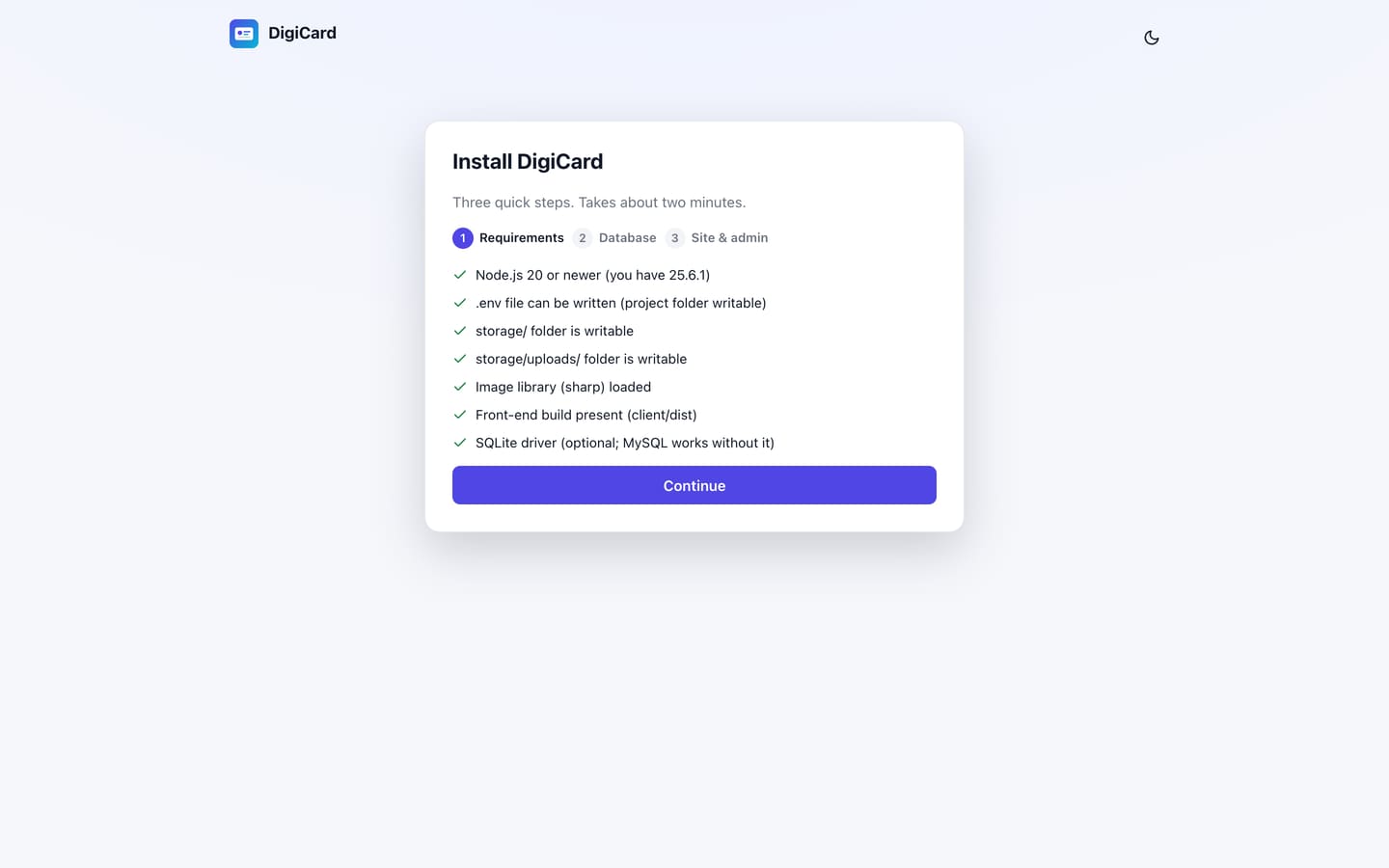
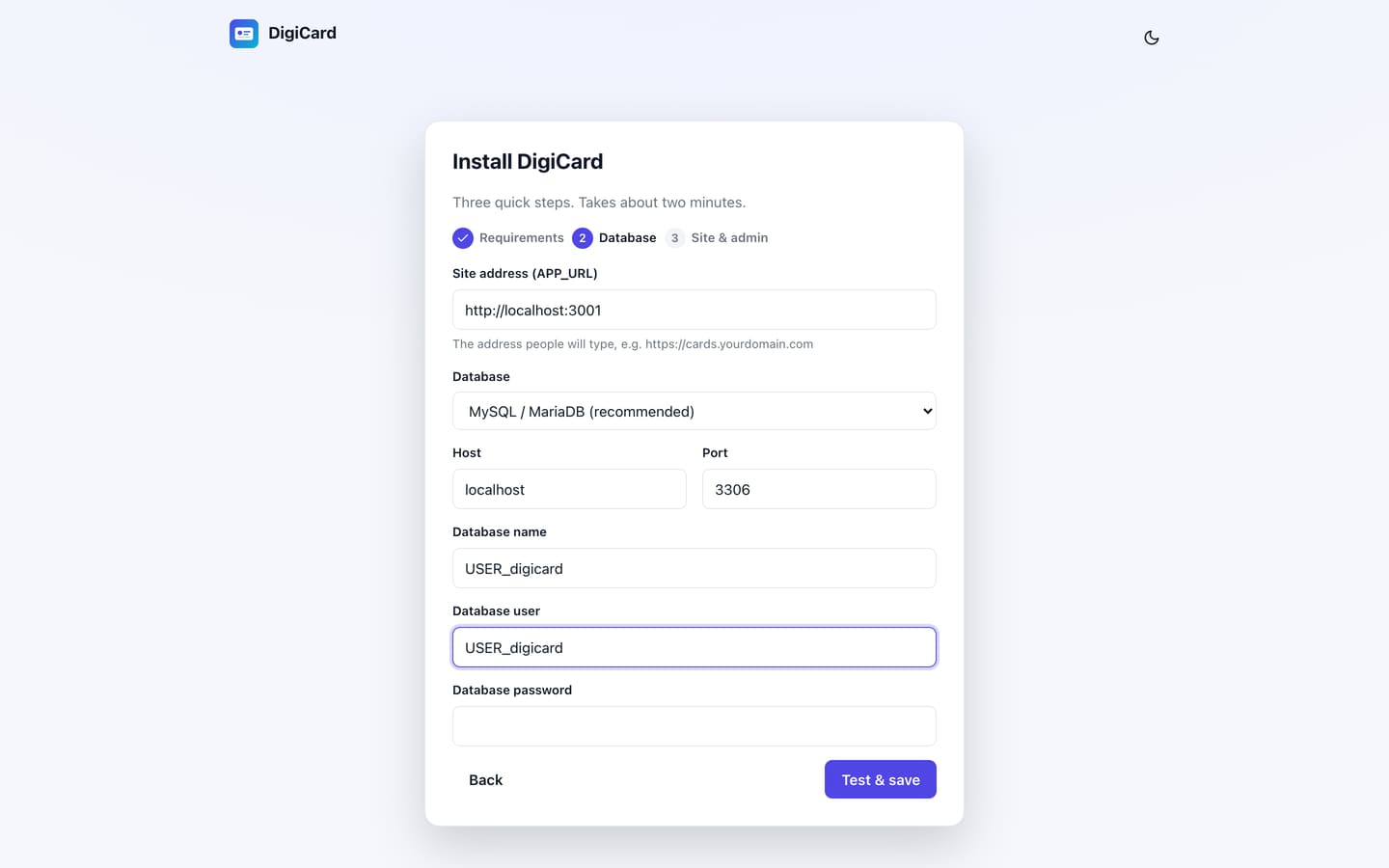
.env. Step 3 creates your admin login and can add 3 sample cards.Run the installer straight after uploading. Until it is finished, anyone who opens the site could run it. Once installed, the installer disappears.
Finally turn on SSL: cPanel → SSL/TLS Status → Run AutoSSL.
Installation on a VPS (Ubuntu + Nginx)
curl -fsSL https://deb.nodesource.com/setup_22.x | sudo -E bash -
sudo apt install -y nodejs mysql-server nginx
sudo npm i -g pm2
sudo mysql -e "CREATE DATABASE digicard CHARACTER SET utf8mb4; CREATE USER 'digicard'@'localhost' IDENTIFIED BY 'CHANGE_ME'; GRANT ALL ON digicard.* TO 'digicard'@'localhost';"

cd /var/www/digicard          # contents of src/
npm install --omit=dev
cp .env.example .env && nano .env   # APP_URL=https://cards.example.com and DB_* values
npm run setup                  # creates APP_KEY, tables and your admin (add -- --demo for sample cards)
pm2 start app.js --name digicard && pm2 save && pm2 startup
Nginx forwards the domain to Node:
server {
    listen 80;
    server_name cards.example.com;
    client_max_body_size 8M;
    location / {
        proxy_pass http://127.0.0.1:3000;
        proxy_set_header Host $host;
        proxy_set_header X-Forwarded-For $proxy_add_x_forwarded_for;
        proxy_set_header X-Forwarded-Proto $scheme;
    }
}
Then sudo certbot --nginx -d cards.example.com. Keep TRUST_PROXY=1 (one proxy). With Cloudflare in front as well, use TRUST_PROXY=2.
Running on your own computer
npm install
npm start          # http://localhost:3000 → installer (choose SQLite for the quickest start)
npm test           # server tests
To change the front end, run npm run dev (API on port 3000) and npm run dev:client (React on port 5173) in two terminals. Run npm run build when you are done.
After installing: 5-minute setup
| Where | What to set |
|---|---|
| Admin → Settings → General | Site name, allow sign-ups on/off, max cards per user, default theme |
| Admin → Settings → Email | SMTP details, then Send test. Needed for password resets and enquiry alerts. |
| Admin → Users | Add accounts yourself if sign-ups are closed |
| My cards → New card | Create your own card and publish it |
Gmail SMTP: host smtp.gmail.com, port 587, SSL off, username = your Gmail address, password = a Google App Password (not your normal password).
Dashboard
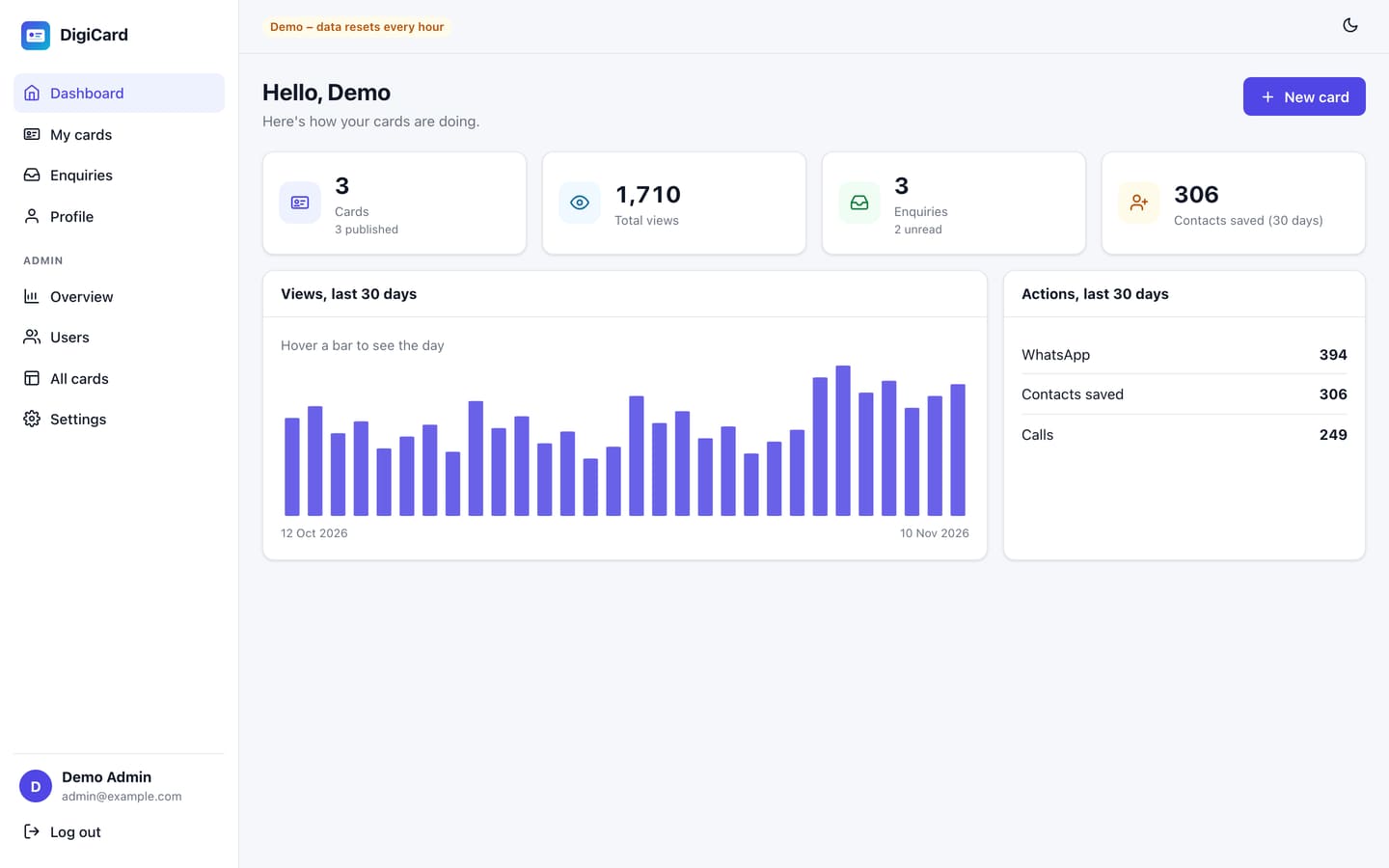
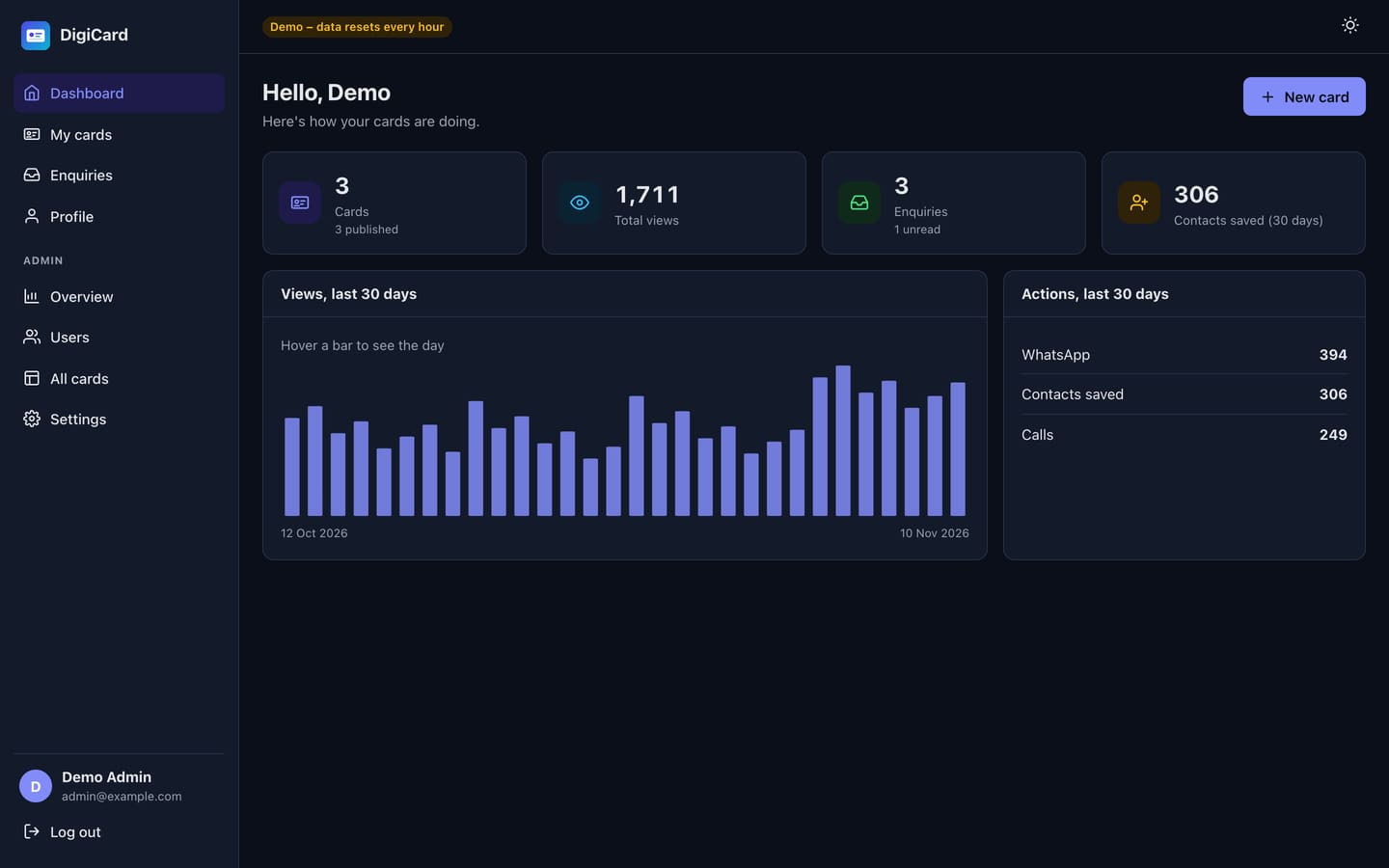
The dashboard shows your cards, total views, enquiries (with the unread count) and contacts saved, plus a 30-day views chart and the actions visitors took: calls, WhatsApp, Save contact, shares and UPI.
My cards
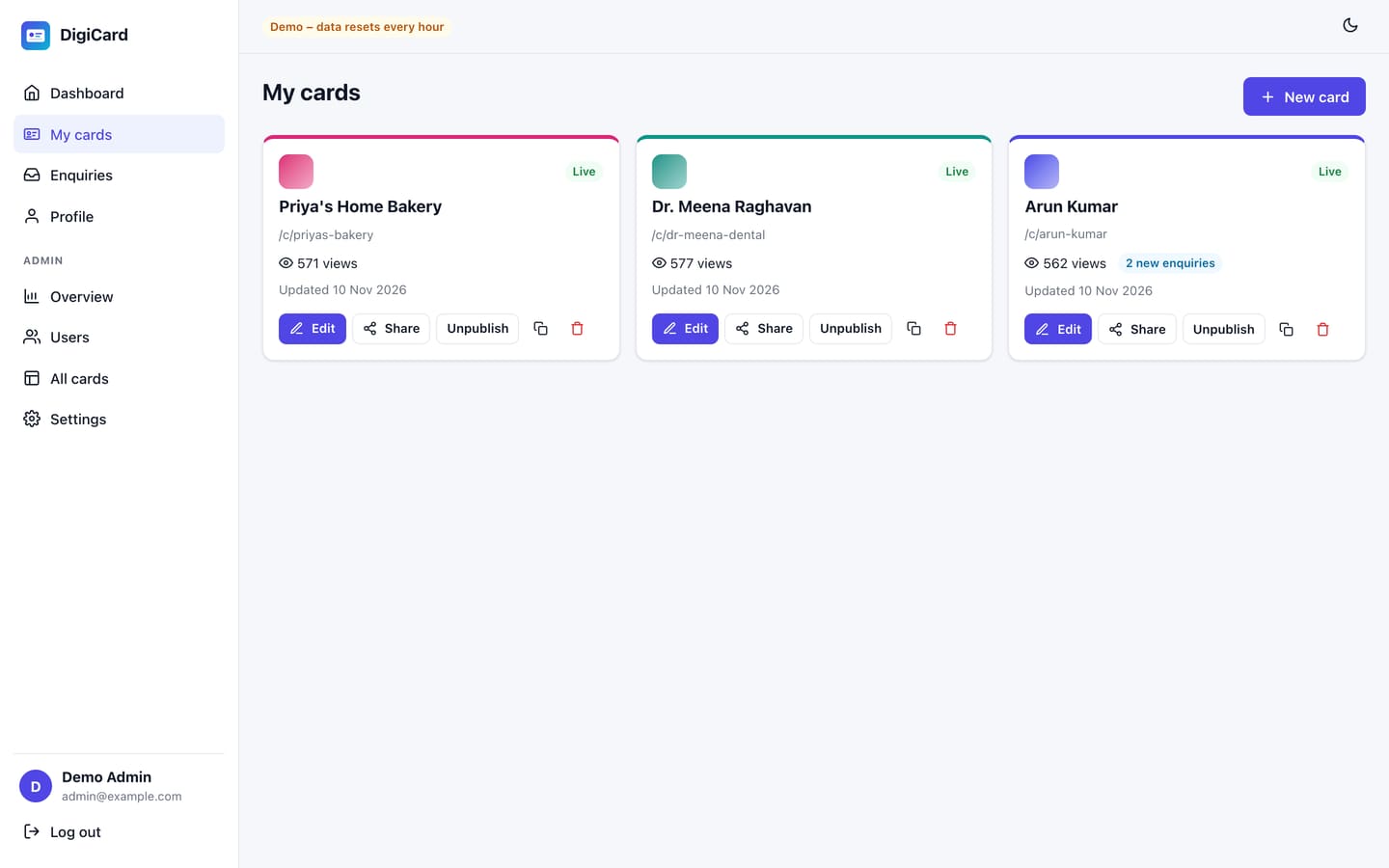
Each user can have several cards (for example one per business or per staff member). From My cards you can edit, share, publish or unpublish, duplicate and delete. The admin decides how many cards each user may create.
Card editor
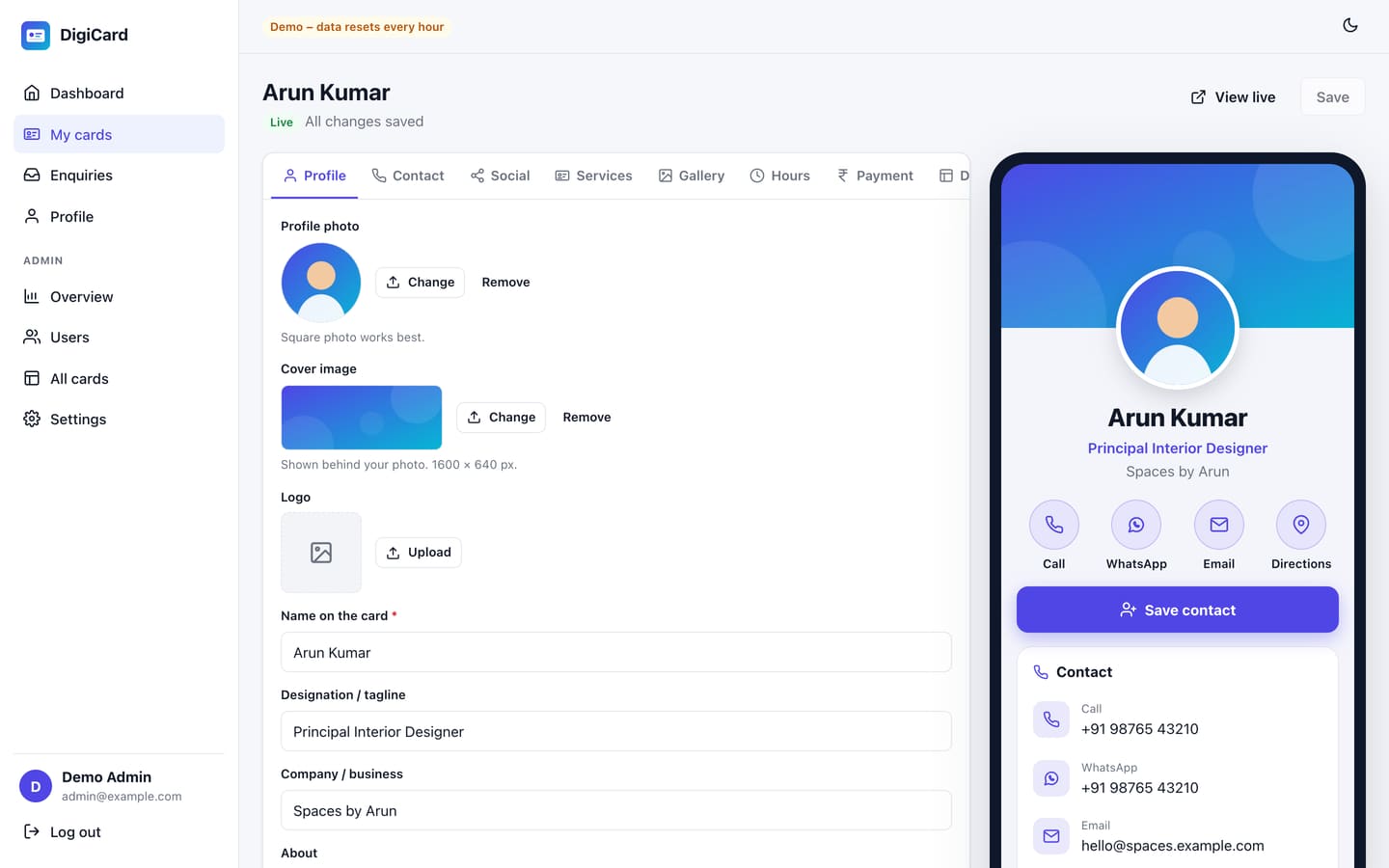
The left side has a tab for each part of the card. The right side is a live phone preview that updates as you type. Save (or Ctrl/⌘ + S) stores your changes. If you try to leave with unsaved changes, DigiCard asks first.
| Tab | What goes there |
|---|---|
| Profile | Photo (square), cover (1600 × 640), logo, name, designation, company, About text |
| Contact | Phone, WhatsApp (10-digit numbers get +91 automatically), email, website, address, optional Google Maps link |
| Social | Up to 15 links: Instagram, Facebook, LinkedIn, X, YouTube, Telegram, GitHub, Pinterest, Threads, Snapchat, Behance, Dribbble, other |
| Services | Up to 30 services or products with image, description and price; each gets a WhatsApp Enquire button |
| Gallery | Up to 30 photos with captions; visitors tap to enlarge |
| Hours | Opening hours; one click fills a standard week |
| Payment | UPI ID (creates the QR and the Pay via UPI button) and bank details |
| Design | Theme, accent colour, section order, buttons |
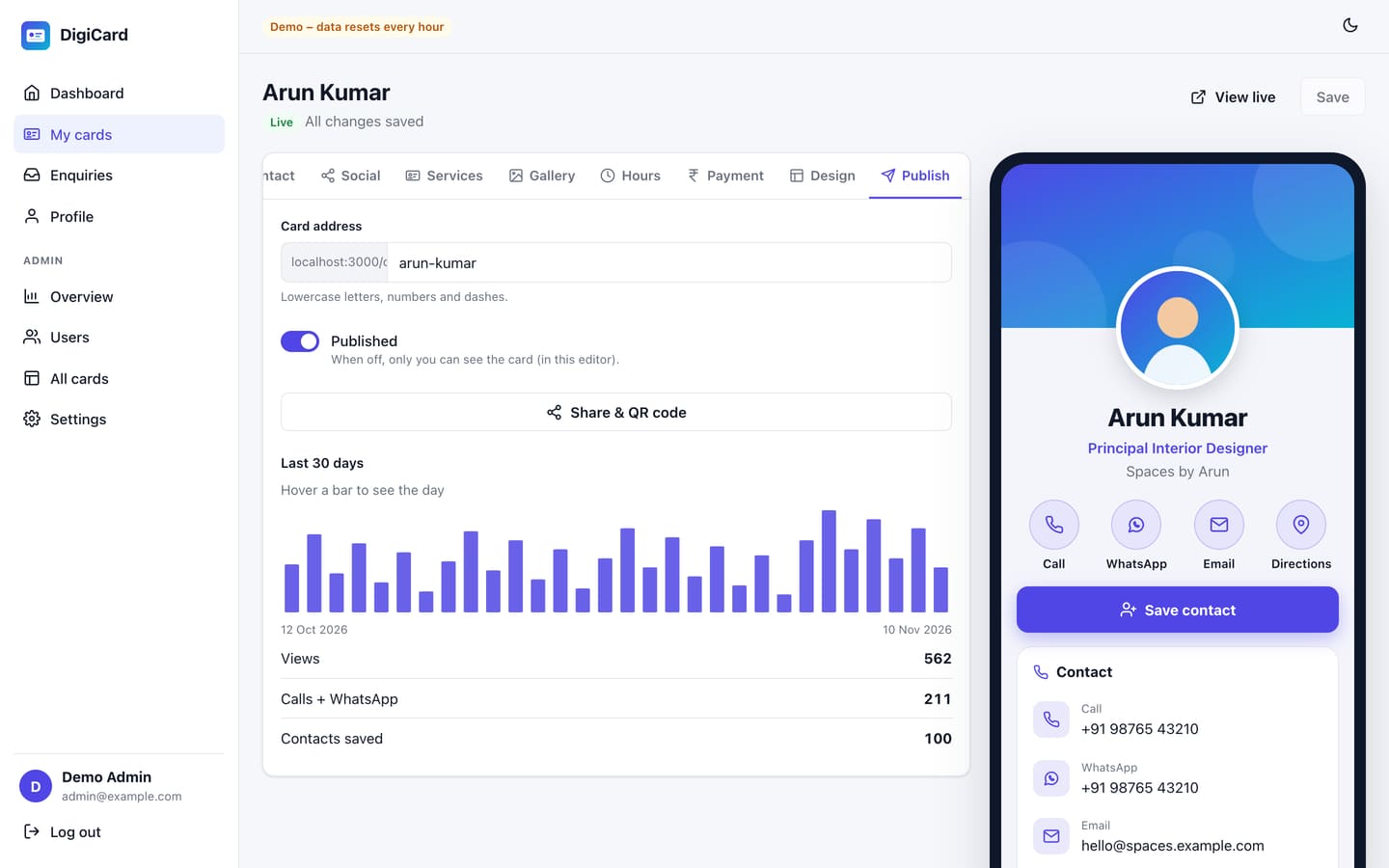
| Publish | Card address, published on/off, share and QR, 30-day stats |
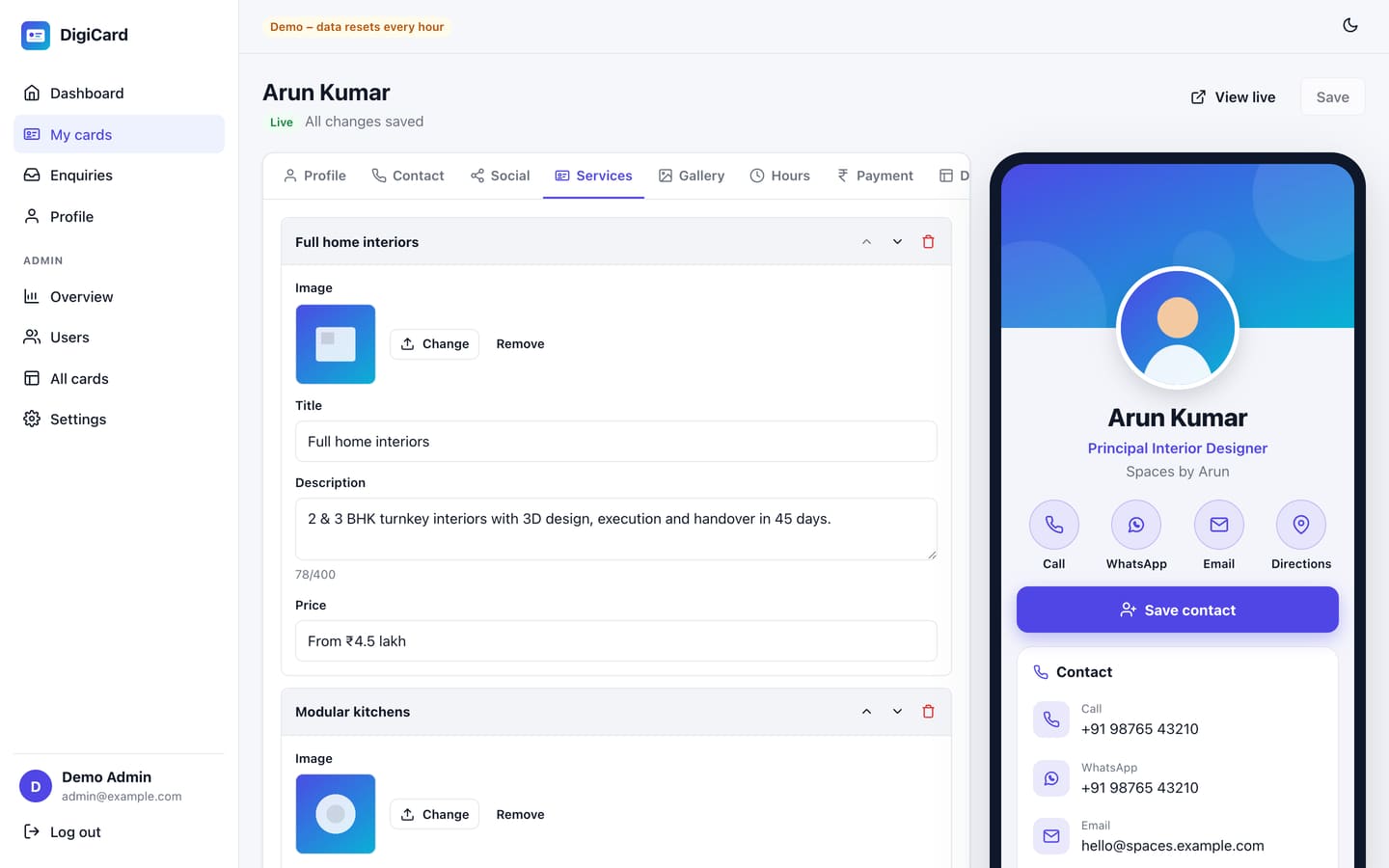
Photos can be JPG, PNG, WebP or GIF up to 5 MB. DigiCard resizes them, converts them to WebP and removes location data automatically.
Design & sections
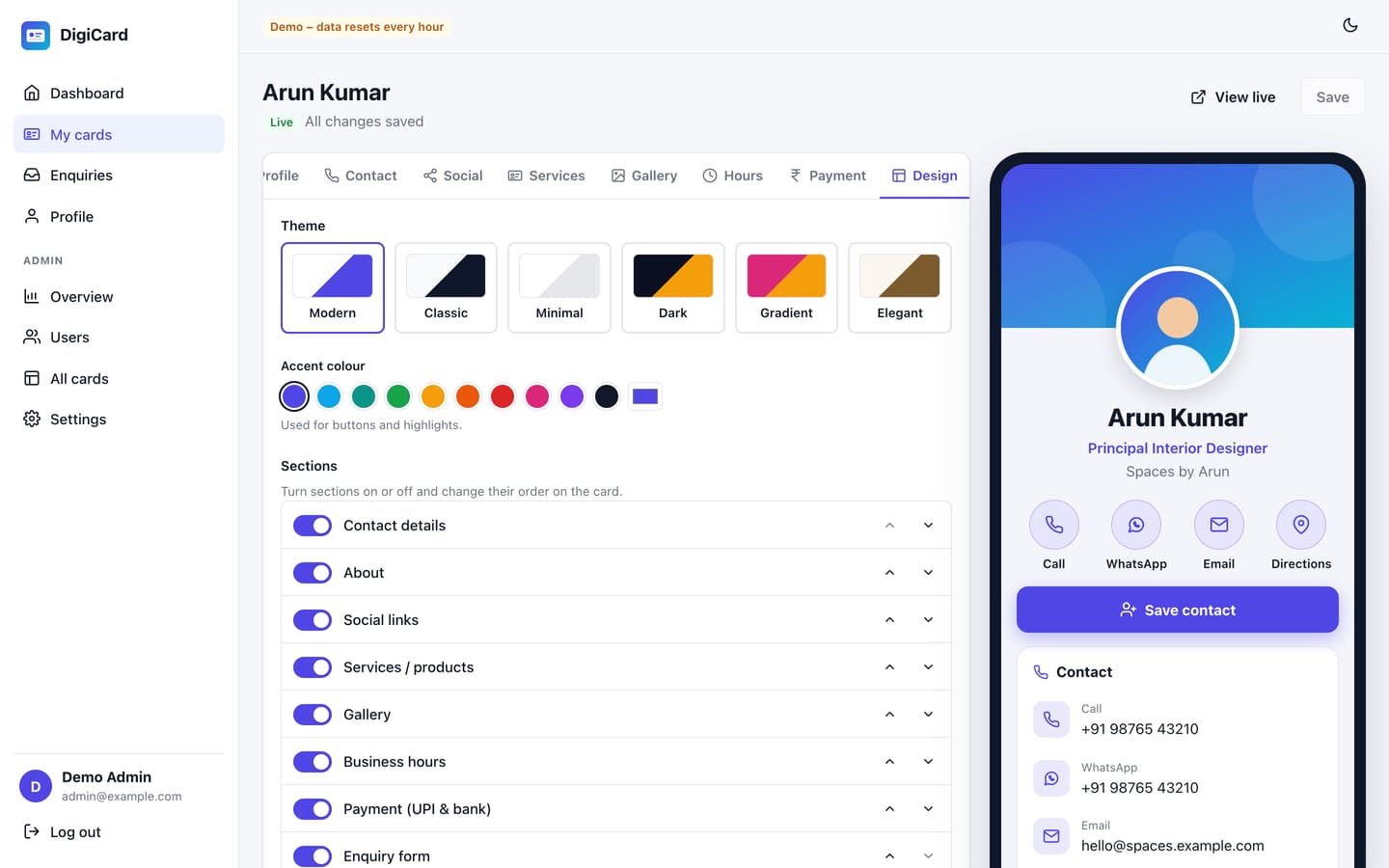
Choose one of 6 themes (Modern, Classic, Minimal, Dark, Gradient, Elegant) and any accent colour. Turn sections on or off and change their order. You can also hide the Save contact, Share or QR buttons.
Publish & share
On the Publish tab choose the card address, for example yoursite.com/c/your-name; it is checked as you type. Switch Published on and save. Drafts are visible only to you.
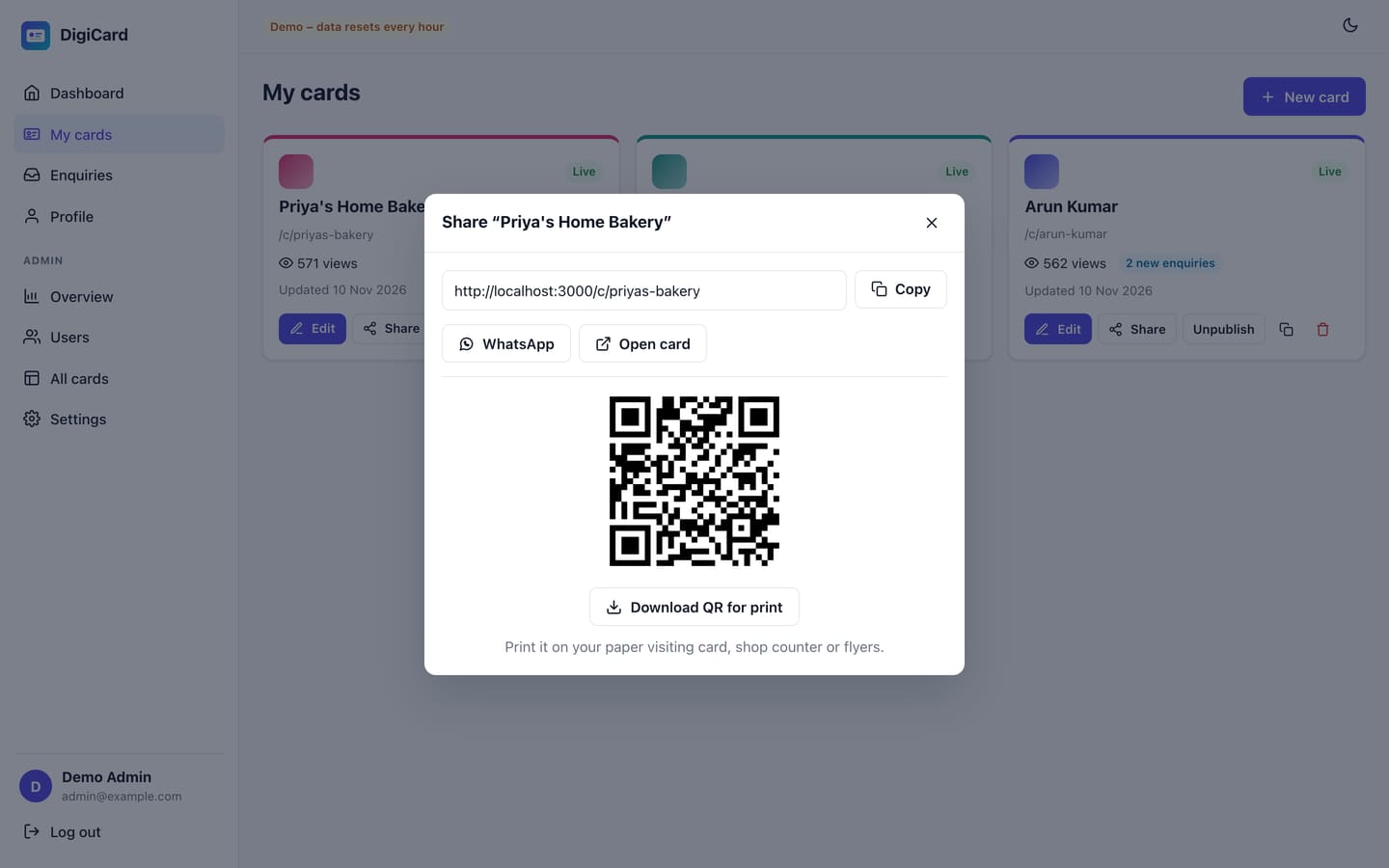
When the link is shared on WhatsApp or Facebook, it shows the name, designation and photo as a preview.
What visitors see
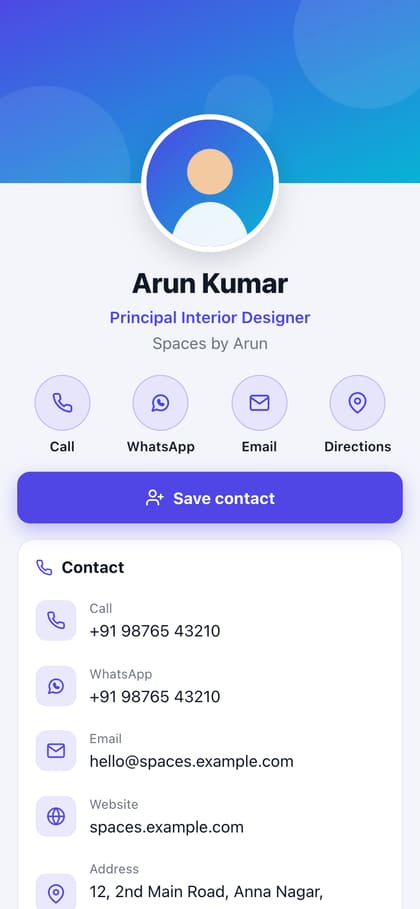
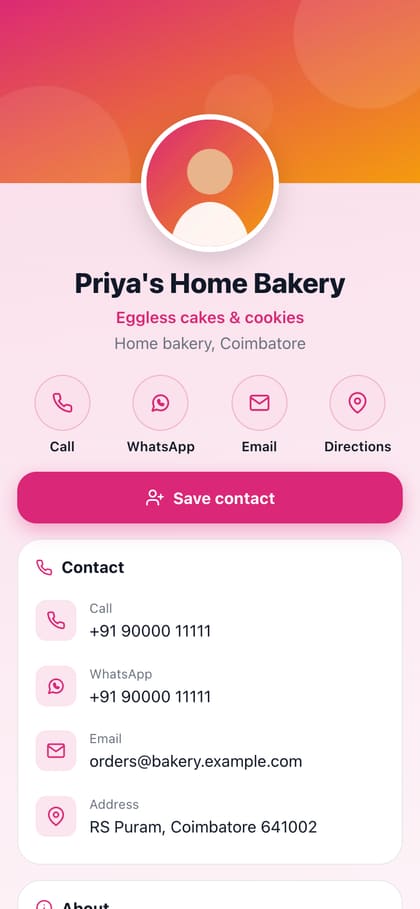
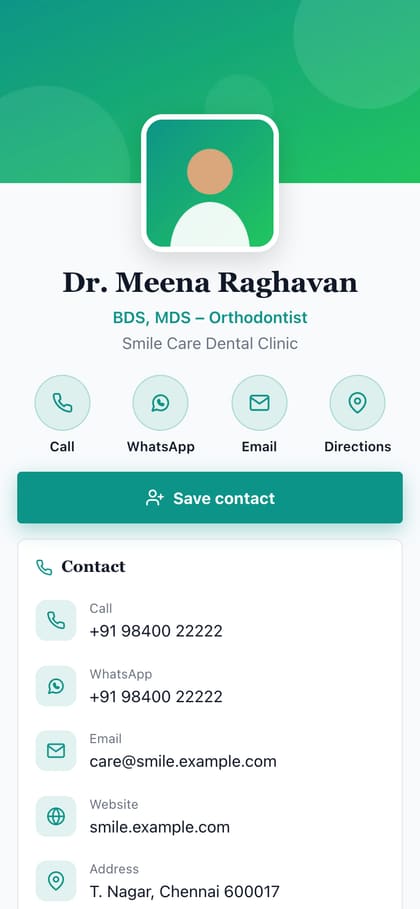
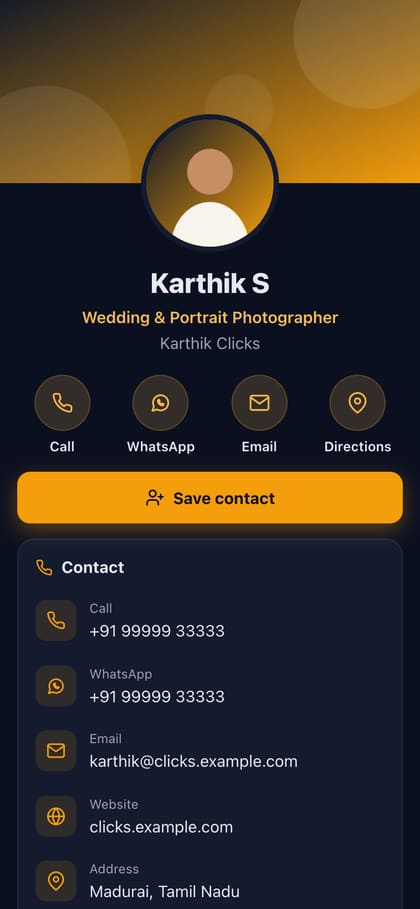
- Call, WhatsApp, Email, Directions buttons at the top.
- Save contact downloads a vCard that opens in the phone's Contacts app.
- Services with prices, gallery, business hours and social links.
- Share card, Share on WhatsApp and a QR code button.
UPI & payments
Add a UPI ID on the Payment tab. The card then shows a UPI QR code and a Pay via UPI button that opens GPay, PhonePe, Paytm or BHIM on a phone. Bank details appear with copy buttons.
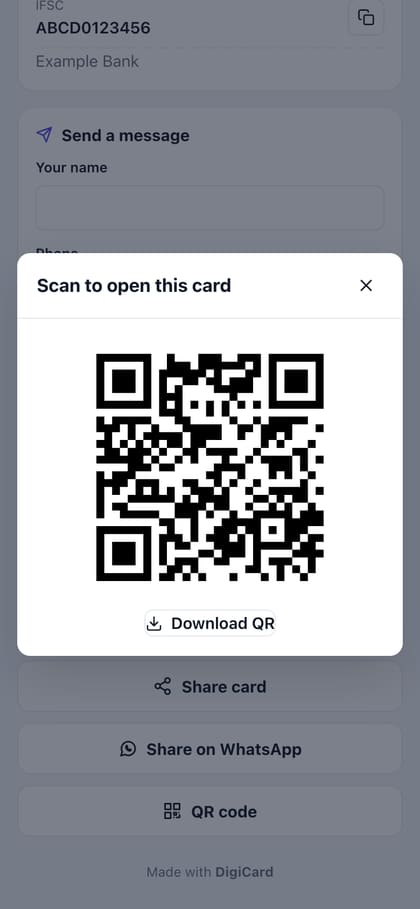
Payments go directly to the UPI ID on the card. DigiCard does not process or hold money.
Enquiries
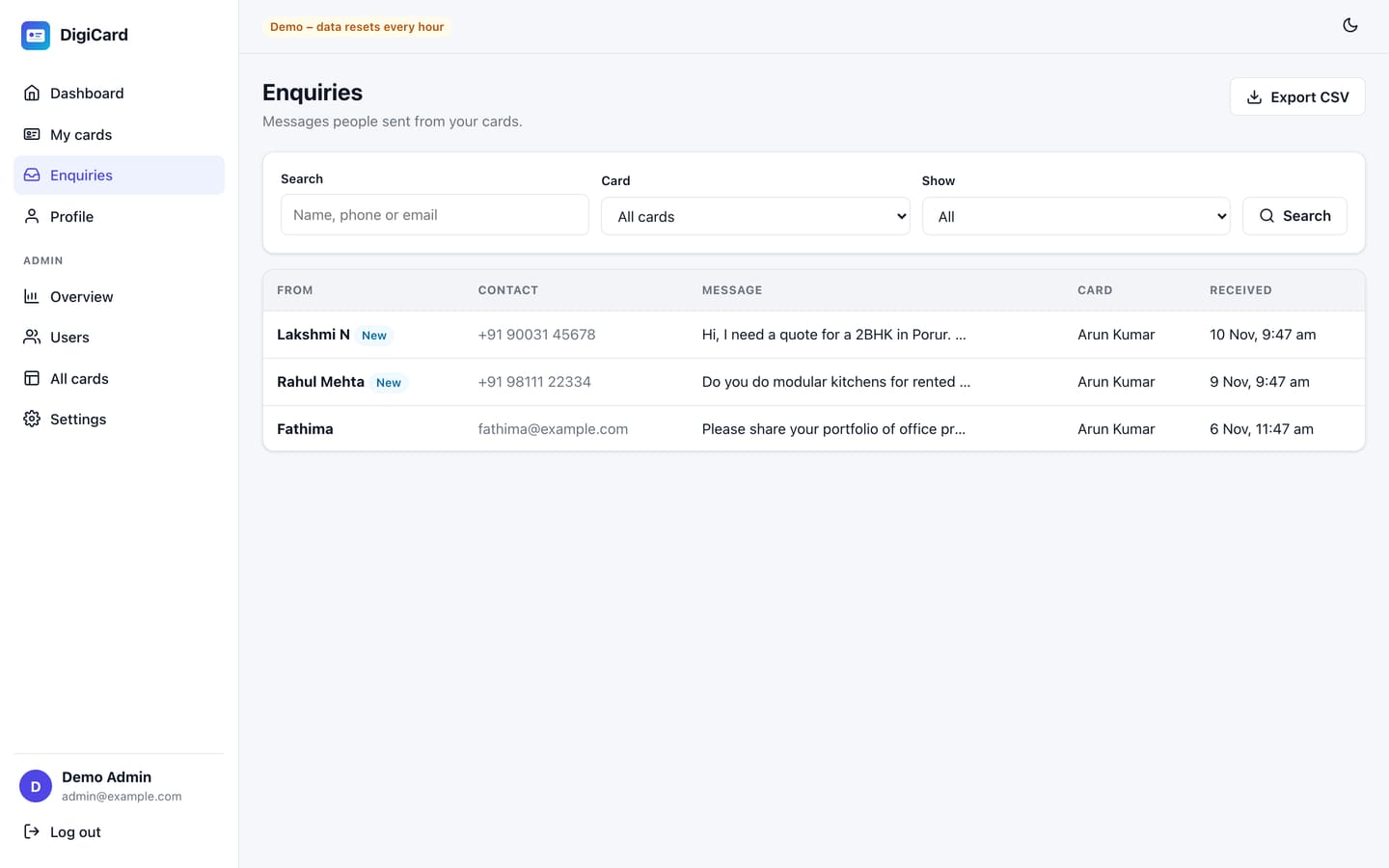
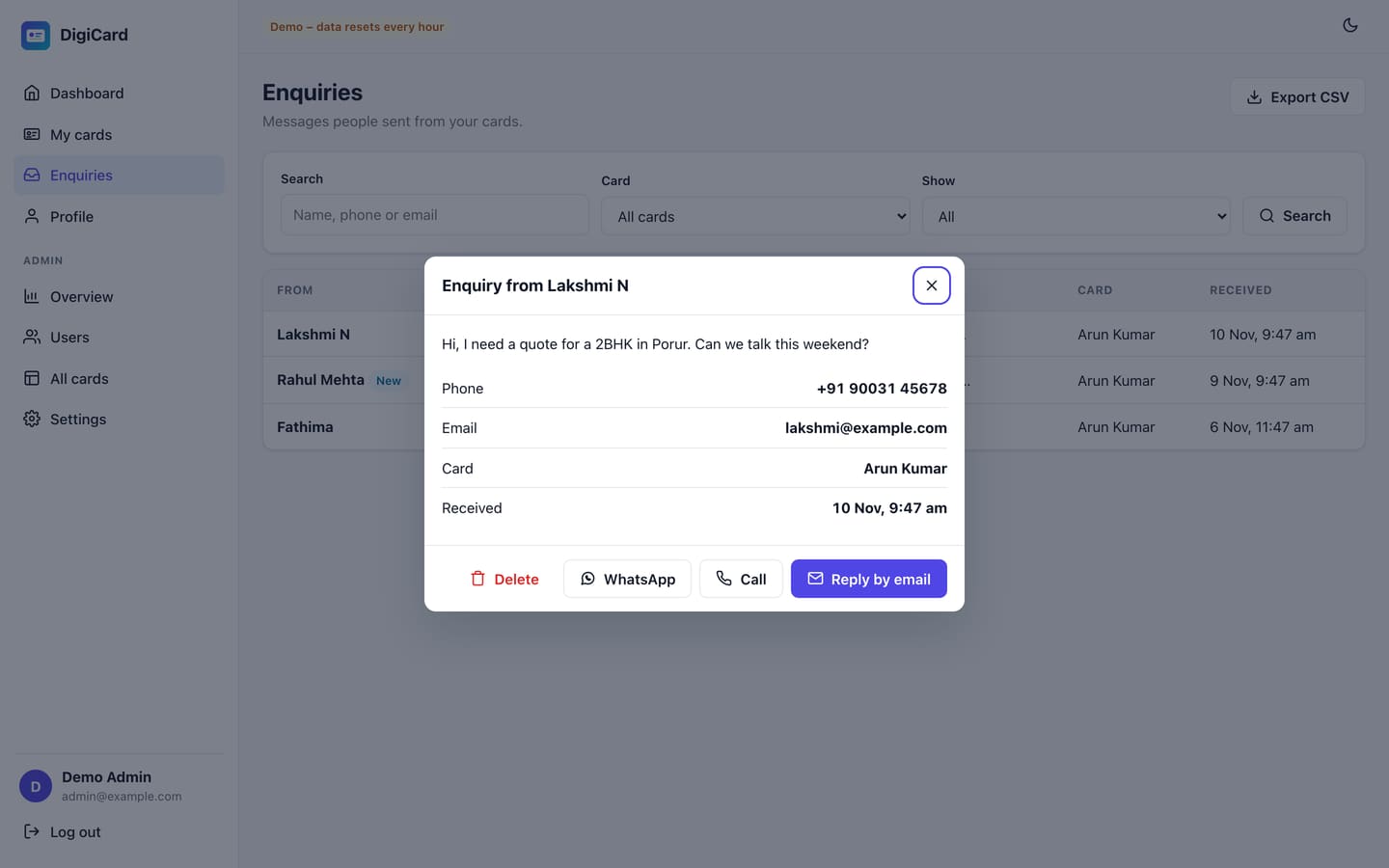
Visitors can send a message from the card. It appears in Enquiries and, when email is set up, the card owner gets an email too. Spam is reduced with a hidden honeypot field and a limit of 5 messages per 10 minutes per visitor.
Analytics
DigiCard counts a view once per visitor session, and counts taps on Call, WhatsApp, Email, Directions, Save contact, Share, social links and UPI. Totals per day are kept for every card. The dashboard shows all your cards together; the Publish tab shows one card.
Admin & users
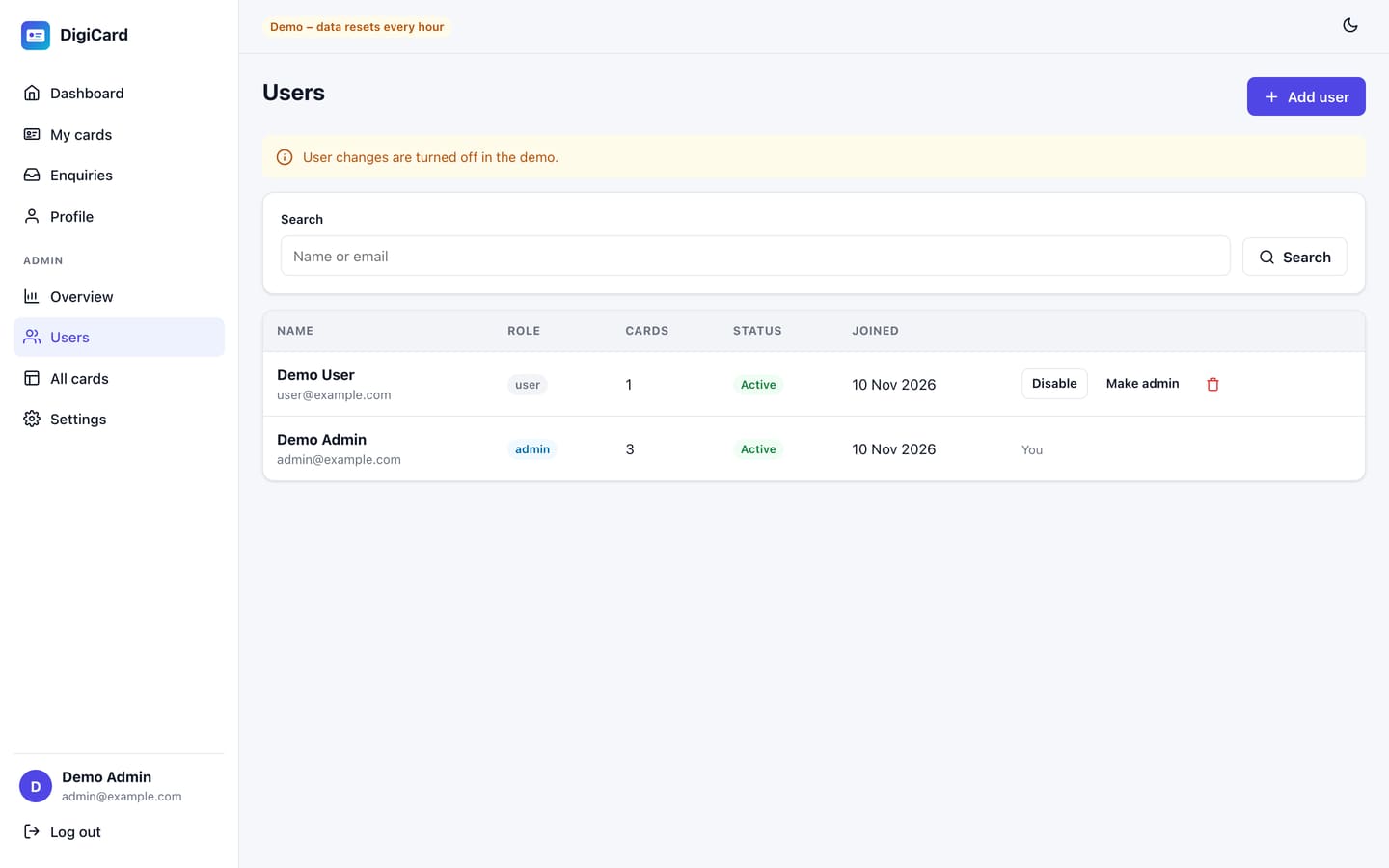
The first account (created by the installer) is an Admin. Admins see the Admin menu; normal users only see their own cards and enquiries.
Settings reference
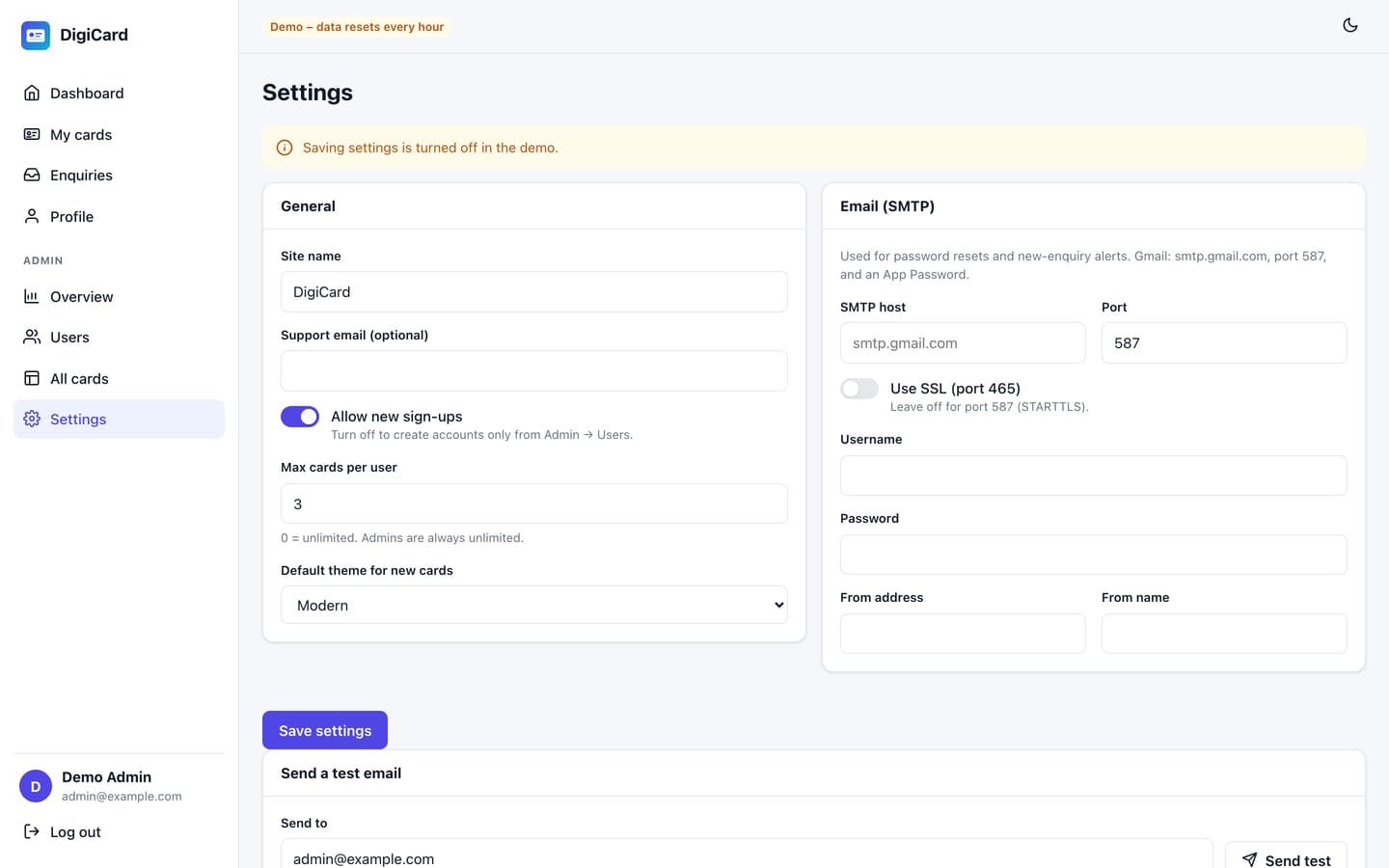
| Setting | What it does |
|---|---|
| Site name | Shown on every card ("Made with …"), in emails and in the browser tab |
| Support email | Optional contact address for your users |
| Allow new sign-ups | Off: only admins can create accounts (Admin → Users) |
| Max cards per user | 0 = unlimited. Admins are always unlimited. |
| Default theme | Theme of newly created cards |
| SMTP host / port / SSL / username / password | Outgoing email. The password is stored encrypted and never shown again; leave it empty to keep the saved one. |
| From address / name | Sender of password-reset and enquiry emails |
.env file
| Key | Meaning |
|---|---|
APP_URL | Full public address, e.g. https://cards.example.com |
APP_KEY | Secret key created by the installer. Never share it. Changing it logs everyone out. |
DB_* | Database connection (written by the installer) |
DEMO_MODE | true only for a public demo |
TRUST_PROXY | Number of proxies in front of Node (cPanel/Nginx = 1) |
UPLOAD_MAX_MB | Maximum photo size (default 5) |
Updating to a new version
- Back up the database, the
.envfile and thestorage/folder. - Upload the new files over the old ones. Do not overwrite
.envorstorage/. - cPanel: Setup Node.js App → Run NPM Install → Restart. VPS:
npm install --omit=dev && pm2 restart digicard. - Database changes are applied automatically when the app starts.
Backups
Back up the database (cPanel → Backup, or mysqldump digicard > backup.sql) and the storage/uploads/ folder regularly. With SQLite, the database is storage/database.sqlite.
Security
Accounts
- bcrypt passwords
- Lockout after 5 failed logins
- httpOnly, SameSite session cookie
- Password change logs out other devices
Requests
- CSRF token and Origin check
- Strict Content-Security-Policy, HSTS
- Rate limits on logins, uploads, enquiries
- Every field validated on the server
Data
- Owners can only reach their own cards
- Uploads re-encoded, location data removed
- SMTP password encrypted
- CSV export safe from formula injection
Your checklist: use https, run the installer straight after uploading, keep .env private, keep the app outside public_html, set TRUST_PROXY correctly, and back up. Full details: docs/SECURITY.md.
Running a public demo
- Install normally, then set
DEMO_MODE=truein.envand restart. - The demo data (2 logins, 4 cards, enquiries and 30 days of statistics) loads at start-up and again every hour.
- Some hosts put idle apps to sleep, so also add an hourly cron job:
cd /home/USER/digicard && /path/to/node server/cli.js demo-reset.
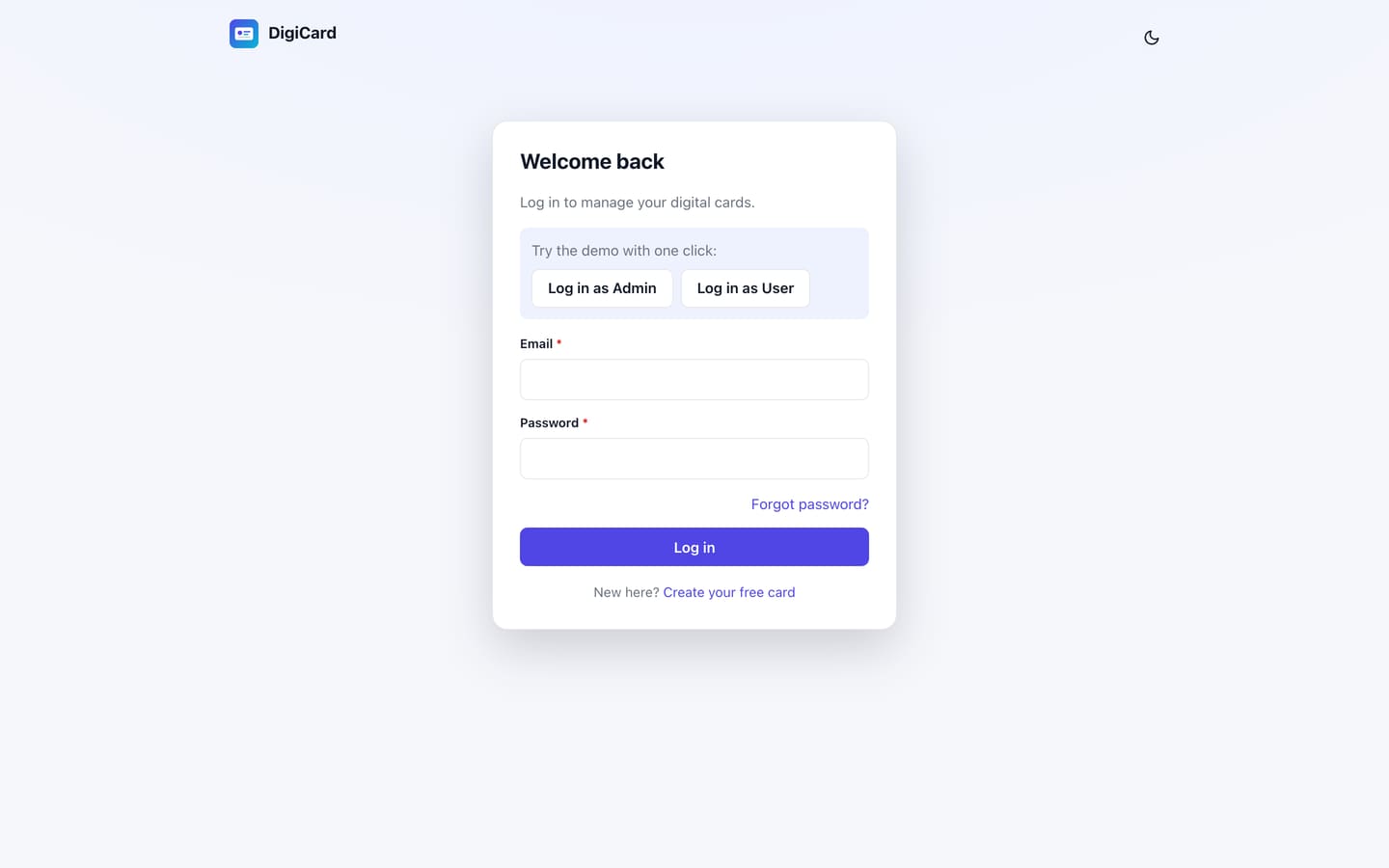
Demo logins: admin@example.com / password and user@example.com / password. The login page shows one-click buttons for both. Password, profile, user and settings changes and outgoing emails are blocked in demo mode.
Customising the code
The front end is React 19 with Redux Toolkit and Redux-Saga, built from reusable parts:
client/src/lib/createResource.js: one call creates the Redux state and sagas for any list (cards, enquiries, users).client/src/components/ui/: buttons, fields, modal, table, chart, image upload and list editor, all with the same props.client/src/components/card/: the card renderer (the same one is used in the editor preview and on the public page), themes and sections.client/src/components/card/editorConfig.js: the editor tabs and fields are data. Add a field in one line.
The back end is Node.js with Express, with one folder per feature in server/src/modules/. What a card may contain is defined once in server/src/modules/cards/schema.js. After changing client/src, run npm run build and restart. Step-by-step examples: docs/developer-guide.md.
Troubleshooting
| Problem | Fix |
|---|---|
| "It works!" / Passenger error page | The startup file must be app.js and Run NPM Install must have finished. Then click Restart. |
| 503 or blank page | Read stderr.log in the app folder (cPanel) or pm2 logs digicard (VPS). |
| Installer requirement is red | Make storage/ and the app folder writable. For sharp, run NPM Install again; very old servers may need a newer OS. |
| Logged out right after logging in | APP_URL starts with https but the site was opened over http. Turn on SSL, or fix APP_URL and restart. |
| "Too many requests" for everyone | Behind several proxies (e.g. Cloudflare + Nginx), raise TRUST_PROXY to the number of proxies. |
| Photo upload fails | storage/uploads/ must be writable; maximum 5 MB. |
| Emails not sending | Admin → Settings → Email → Send test shows the mail server's error. Port 587 with SSL off works on most hosts. |
| Installer appears again | storage/installed was deleted. Re-create it (any content). Your data is safe; no new admin can be created on an existing database. |
| Forgot admin password | Use Forgot password (needs email), or in a terminal: node server/cli.js reset-password you@example.com |
FAQ
Can I sell cards to my customers?
Yes, with the Extended licence. Create accounts for your customers (or open sign-ups) and limit cards per user in Settings. Paid subscription plans are not built in to version 1.0.
Can I use my own domain for each card?
Cards live at yoursite.com/c/name. A custom domain per card is not included in 1.0.
Does Save contact work on iPhone and Android?
Yes. It downloads a standard vCard (.vcf), which both open in the Contacts app.
Where are photos stored?
In storage/uploads/ on your own server, as WebP files with random names.
Credits
DigiCard is built on these open-source projects. Their licences are respected and included with the packages.
| Component | Used for | Licence |
|---|---|---|
| React 19, React Router | User interface and routing | MIT |
| Redux Toolkit, React Redux, Redux-Saga | State management and side effects | MIT |
| Vite | Front-end build | MIT |
| Express, Helmet, express-rate-limit, cookie-parser, compression | Web server and security headers | MIT |
| Knex, mysql2, better-sqlite3 | Database | MIT |
| sharp | Image processing | Apache-2.0 |
| bcryptjs, jsonwebtoken, zod | Passwords, sessions, validation | MIT |
| nodemailer, qrcode, multer, dotenv | Email, QR codes, uploads, configuration | MIT / MIT-0 |
Changelog
1.0.0 10 November 2026
First release: digital cards with call / WhatsApp / email / directions, Save contact (vCard), services, gallery, business hours, UPI QR and bank details, enquiry form with email alerts, 6 themes, section ordering, live preview, share link / WhatsApp / printable QR, per-card analytics, enquiries inbox with CSV export, multi-user admin panel, web installer and demo mode.
Support & licence
Email gopinathsbc@gmail.com with your purchase code, your site address and a description or screenshot of the problem. Support covers installation help, bug fixes and questions about existing features. Custom changes are quoted separately.
Your rights are set by the licence you bought (Regular or Extended). See LICENSE.txt. In short: one installation per licence, and the code may not be resold or shared.
© 2026 CodeSanthai. DigiCard v1.0.0 documentation.