codeSanthai Admin: React Admin Dashboard Template
A clean, production-ready admin dashboard built with React 18, Redux Toolkit and Redux-Saga. It ships with a dashboard, user and product management, a reusable UI kit, light and dark themes, and a built-in mock API, so it runs with no backend on day one.
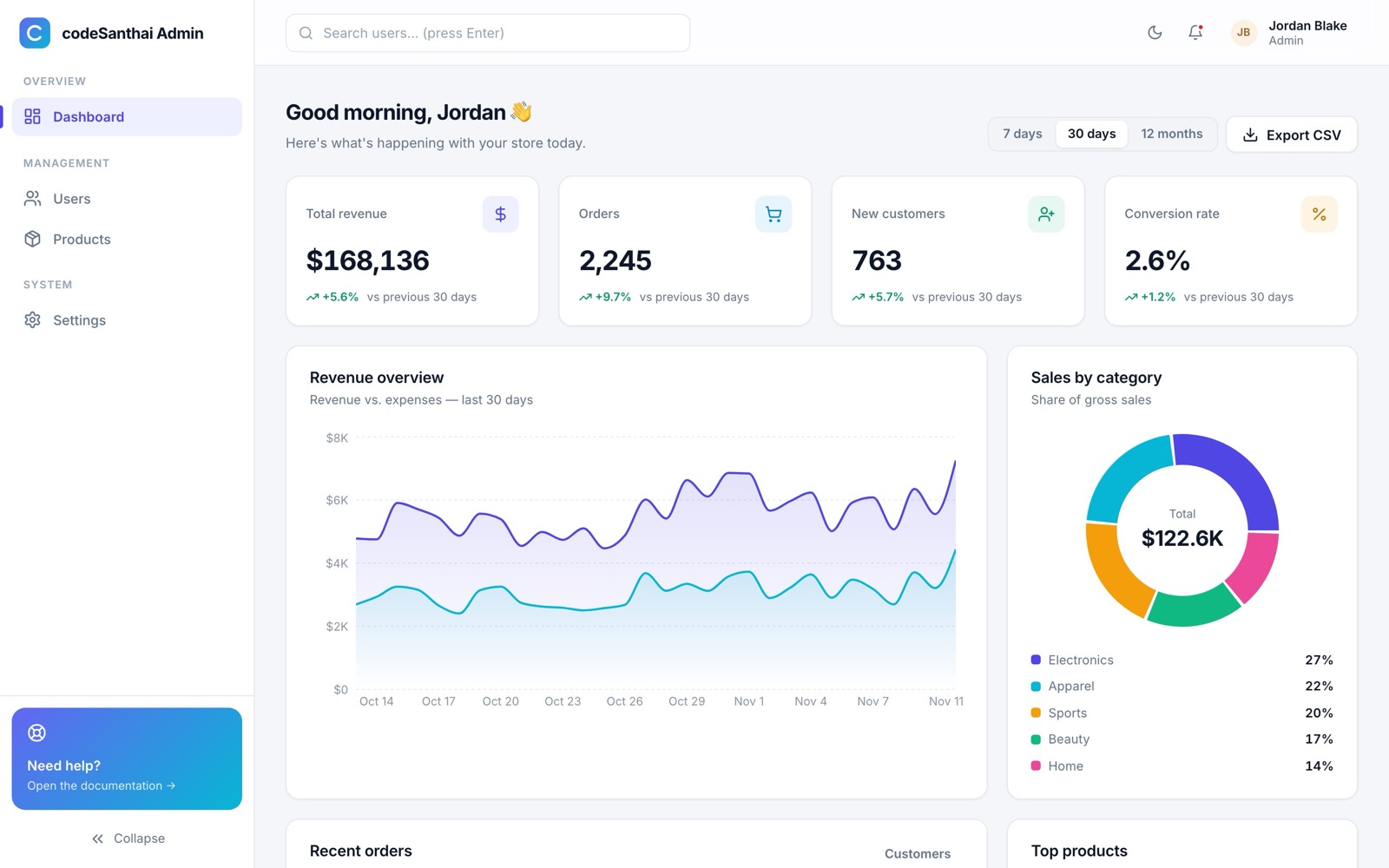
Screens
- Login with validation
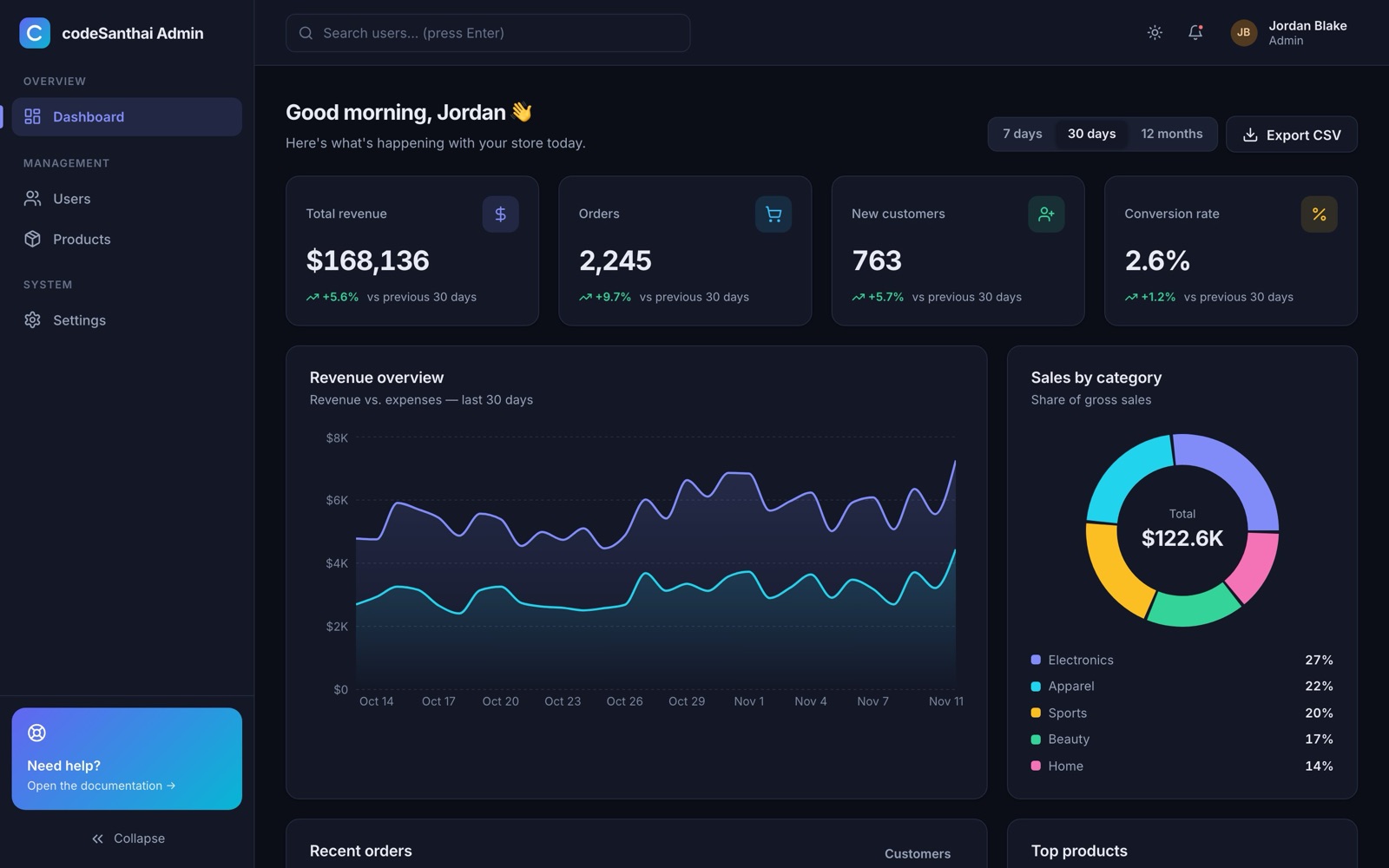
- Dashboard with charts and date ranges
- Users and Products (full CRUD)
- Settings, 404 page
Architecture
- Redux Toolkit + Redux-Saga
- Reusable CRUD slice/saga factories
- Schema-driven forms
- Route-level code splitting
Quality
- 20+ accessible UI components
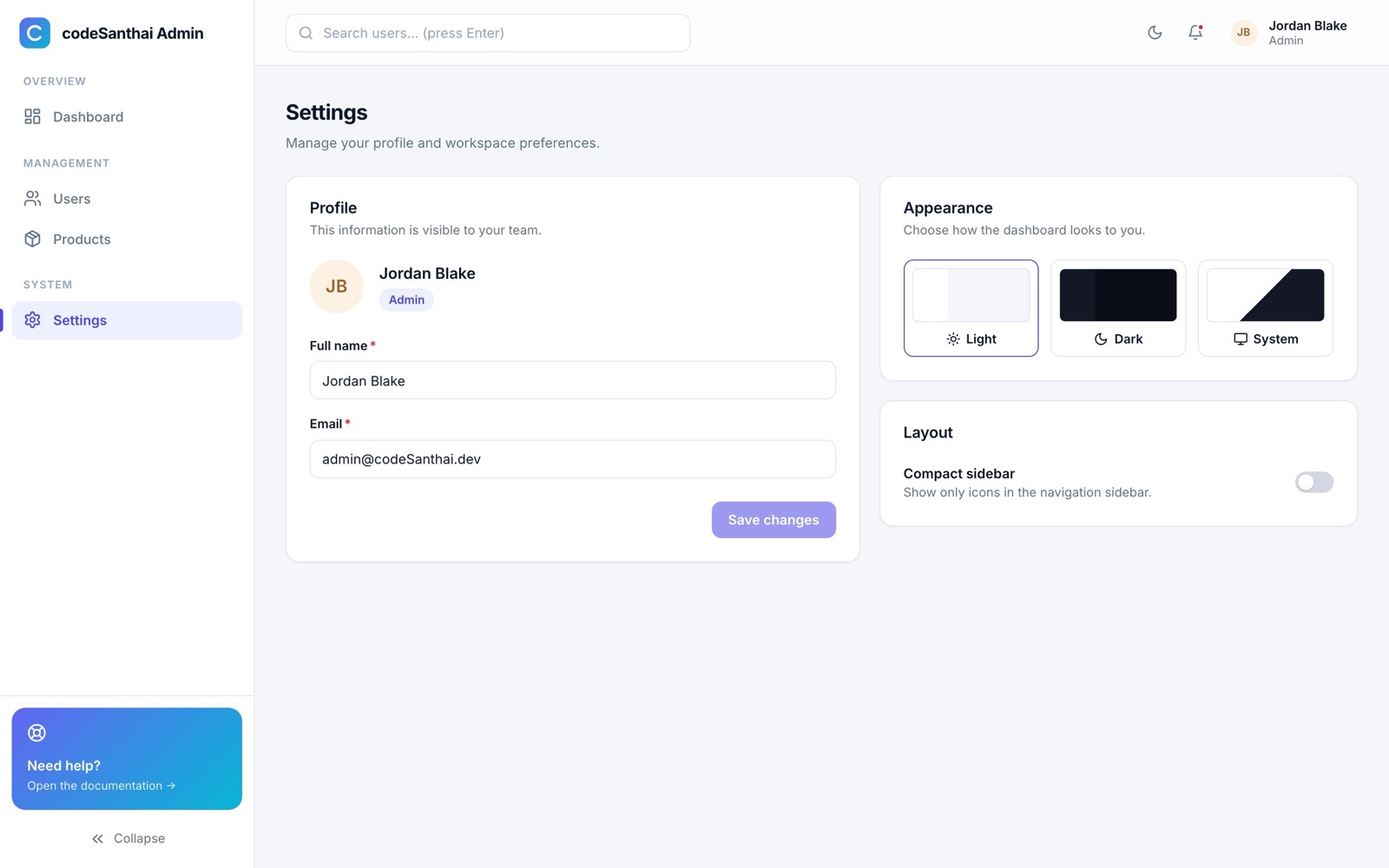
- Light, dark and system themes
- Responsive down to phones
- ESLint, Prettier, 27 automated tests
Requirements
| Item | Needed |
|---|---|
| Node.js | 20.19 or newer (22 LTS recommended), only on the computer where you build |
| Package manager | npm 9+ (included with Node.js) |
| Hosting | Any static host: cPanel / Apache, Nginx, Netlify, Vercel, Cloudflare Pages, S3 |
| Backend | Optional. Any REST API that follows the contract in Connecting your API |
| Browsers | Latest Chrome, Edge, Firefox and Safari (desktop and mobile) |
The built app is plain HTML, CSS and JavaScript. Your web server does not need Node.js or PHP.
What's in the download
codesanthai-admin-v1.0.0/
├── README.md, LICENSE.txt, CHANGELOG.md
├── docs/documentation/index.html   ← this guide (works offline) + PDF
└── src/                            ← the project
    ├── package.json, vite.config.js, eslint.config.js, .env.example
    ├── index.html, public/
    └── src/
        ├── api/          HTTP client, CRUD service factory, mock API
        ├── store/        store setup, root reducer/saga, CRUD factories
        ├── features/     auth, dashboard, users, products, settings, ui
        ├── components/   ui/ (design system), common/, layout/, charts/
        ├── hooks/        useForm, useCrudResource, useTheme, …
        ├── config/       env, navigation, status maps, chart colours
        ├── routes/       router, guards, paths
        ├── styles/       design tokens + global CSS
        └── utils/        formatters, validators, storage, CSV
Quick start (your computer)
- Install Node.js 22 LTS.
- Open a terminal in the
srcfolder and install packages:npm install - Create your environment file:
cp .env.example .env - Start the development server:
Opennpm run devhttp://localhost:5173. - Sign in with
admin@codeSanthai.dev/password123(filled in for you in mock mode).
| Command | What it does |
|---|---|
npm run dev | Development server with hot reload |
npm run build | Production build into dist/ |
npm run preview | Serve the production build locally |
npm run build:demo | Static demo build (hash URLs, mock API) into demo-dist/ |
npm test | Run all tests (Vitest + Testing Library) |
npm run lint / npm run format | ESLint / Prettier |
Build & deploy
Run npm run build, then upload the contents of the dist/ folder to your web root.
The app uses clean URLs such as /users by default. Your server must send unknown paths to index.html, otherwise refreshing a page shows a 404. Pick your host:
cPanel / Apache: .htaccess next to index.html
<IfModule mod_rewrite.c>
  RewriteEngine On
  RewriteBase /
  RewriteRule ^index\.html$ - [L]
  RewriteCond %{REQUEST_FILENAME} !-f
  RewriteCond %{REQUEST_FILENAME} !-d
  RewriteRule . /index.html [L]
</IfModule>
Nginx
location / {
  try_files $uri $uri/ /index.html;
}
Netlify / Cloudflare Pages
Add a file public/_redirects containing /* /index.html 200 before building.
Vercel
Add vercel.json: { "rewrites": [{ "source": "/(.*)", "destination": "/index.html" }] }
No server access, or hosting in a subfolder? Set VITE_ROUTER_MODE=hash in .env and build with npx vite build --base ./. URLs become /#/users and work anywhere with no rewrite rules.
Environment variables
Set these in .env (read at build time). .env.example documents each one.
| Variable | Default | Meaning |
|---|---|---|
VITE_APP_NAME | codeSanthai Admin | Name shown in the sidebar and login page |
VITE_USE_MOCK | true | true: built-in mock API. false: call your real API |
VITE_API_BASE_URL | /api | Base URL of your REST API |
VITE_MOCK_LATENCY | 450 | Simulated network delay for the mock API (ms) |
VITE_ROUTER_MODE | browser | browser (clean URLs) or hash (any static host) |
VITE_DOCS_URL | (empty) | Optional documentation link in the sidebar and on the login page |
Connecting your API
- Set
VITE_USE_MOCK=falseandVITE_API_BASE_URL=https://api.your-site.comin.env. - Make your API return the shapes below. Every request after login sends
Authorization: Bearer <token>. - Rebuild with
npm run build.
| Method | Path | Returns |
|---|---|---|
| POST | /auth/login { email, password } | { token, user } |
| GET | /auth/me | user |
| PUT | /auth/me { name, email } | user |
| POST | /auth/logout | empty |
| GET | /dashboard/summary?range=7d|30d|12m | KPIs, series, categories, orders, top products (see src/api/mock/dashboard.js) |
| GET | /users?page&pageSize&search&sortBy&sortOrder&role&status | { items, total, page, pageSize } |
| POST / PUT / DELETE | /users, /users/:id | created / updated entity / empty |
| … | /products (same as users; filters category, status) | same |
Errors: return a non-2xx status with { "message": "…" }. The message is shown to the user. 401 signs the user out automatically.
The mock API in src/api/mock/ is the reference implementation: it shows exactly what each endpoint receives and returns. When VITE_USE_MOCK=false it is not included in the build at all.
Login
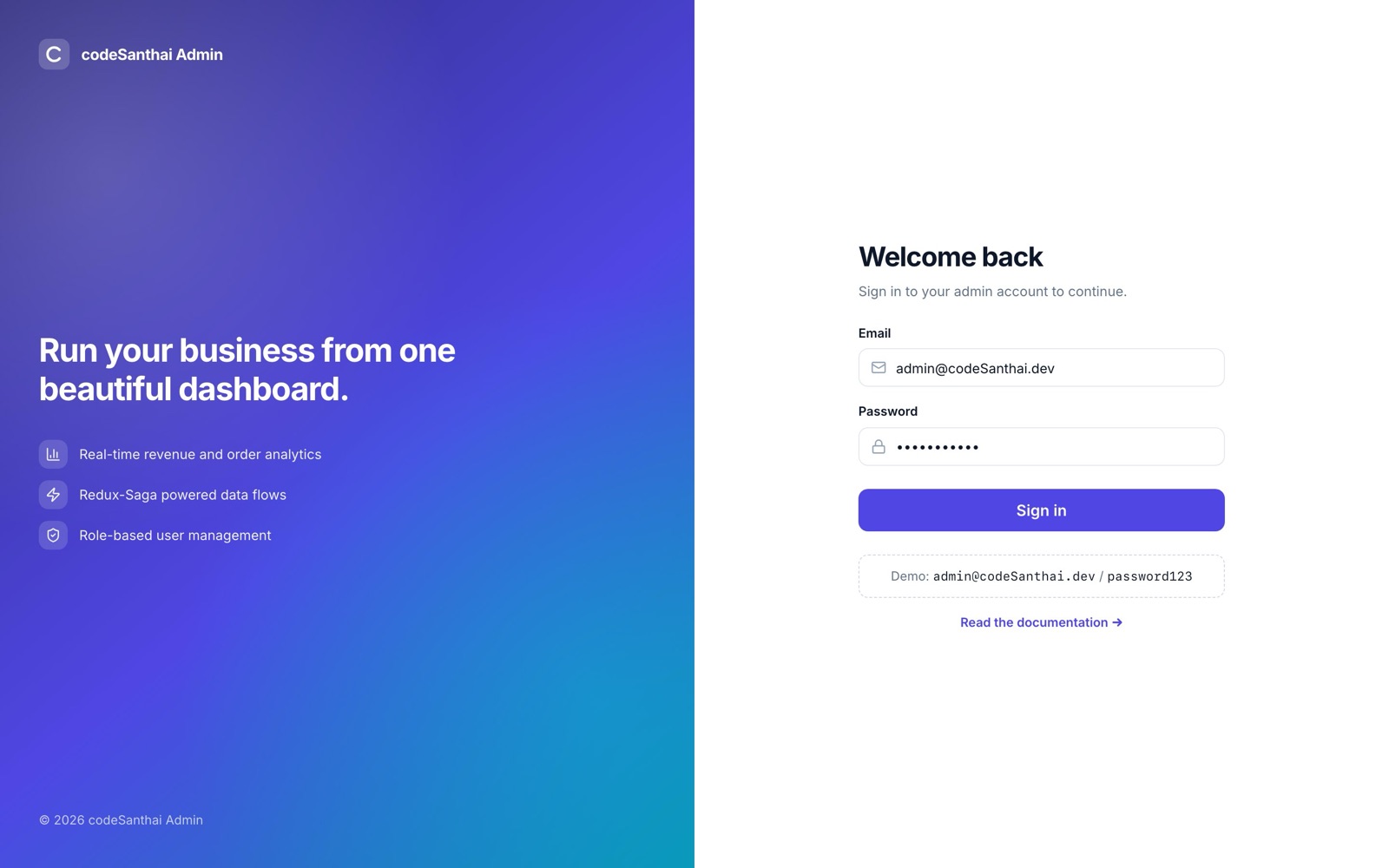
- Email and password are validated before anything is sent.
- The session token is stored, so a page refresh keeps you signed in. On load the app checks it with
/auth/me. - Signed-in users are sent away from
/login; signed-out users are sent to it and returned to the page they wanted after signing in.
Dashboard
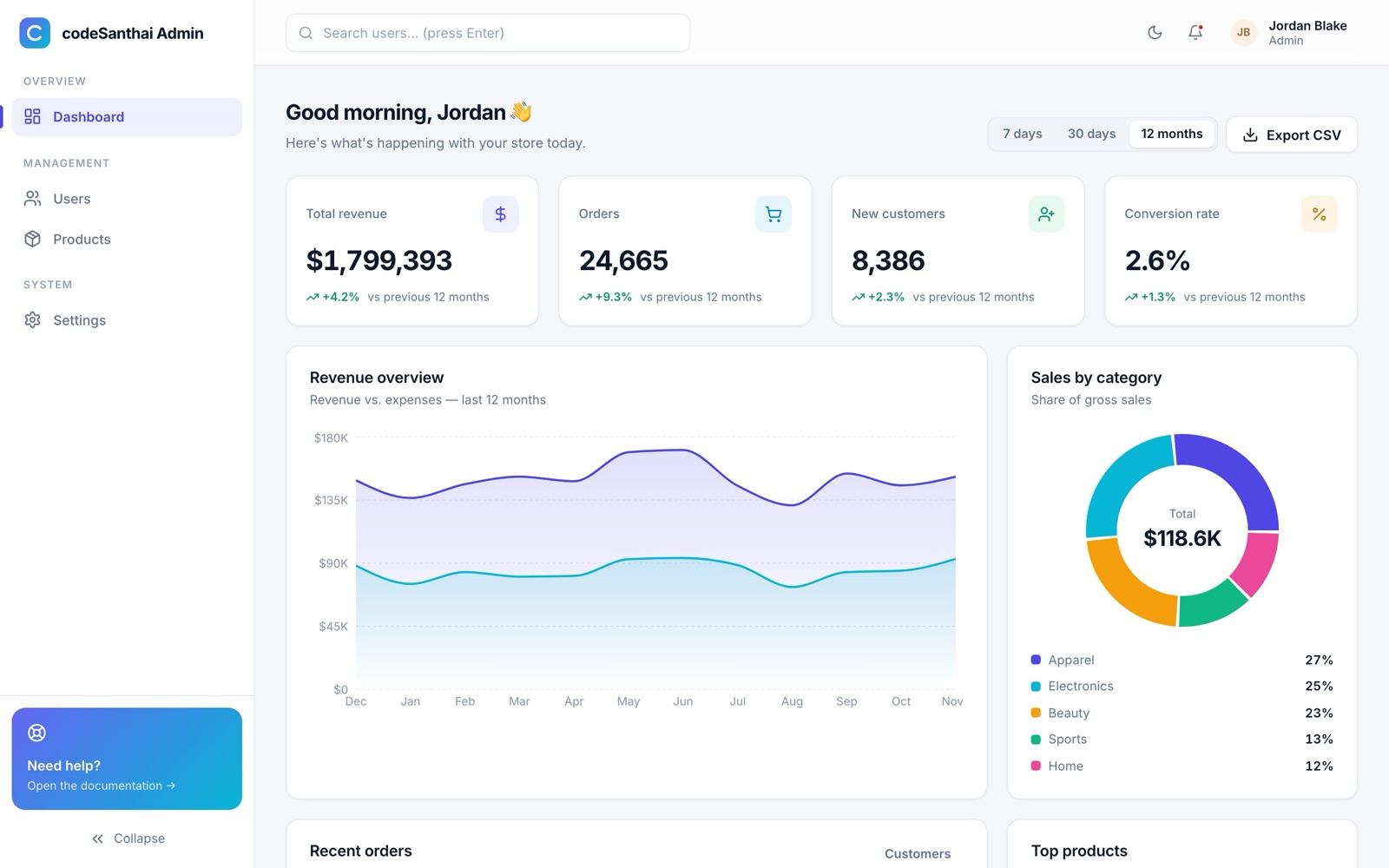
| Widget | Details |
|---|---|
| KPI cards | Revenue, orders, new customers, conversion rate, each with change vs. the previous period |
| Revenue overview | Area chart of revenue vs. expenses with themed tooltips |
| Sales by category | Donut chart with total and percentage legend |
| Recent orders | Table with customer avatar, product, relative date, status and amount |
| Top products | Ranked list with progress bars |
| Export CSV | Downloads the revenue series for the selected range |
Skeleton placeholders show while data loads; on an error a retry message appears instead of a blank page.
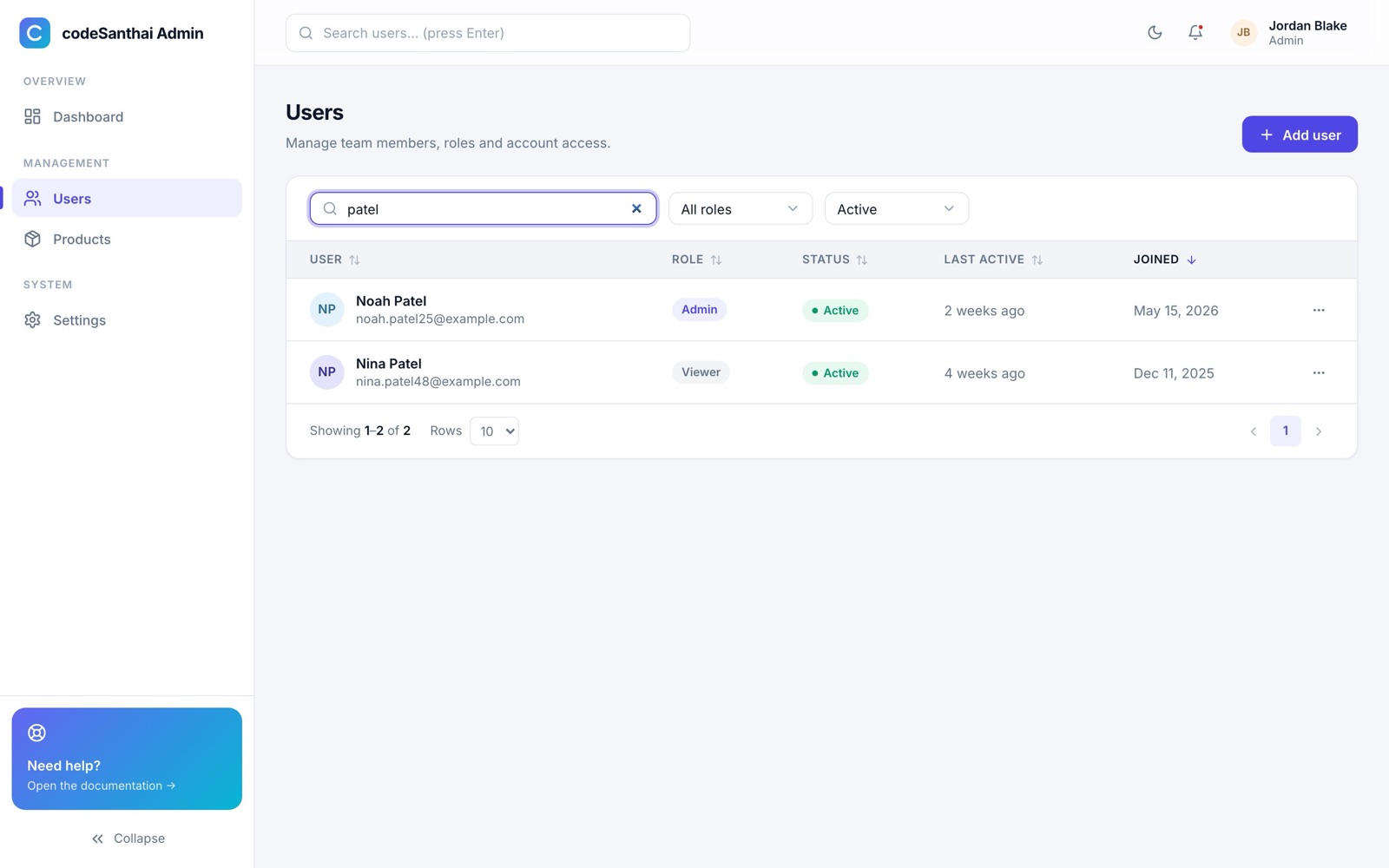
Users
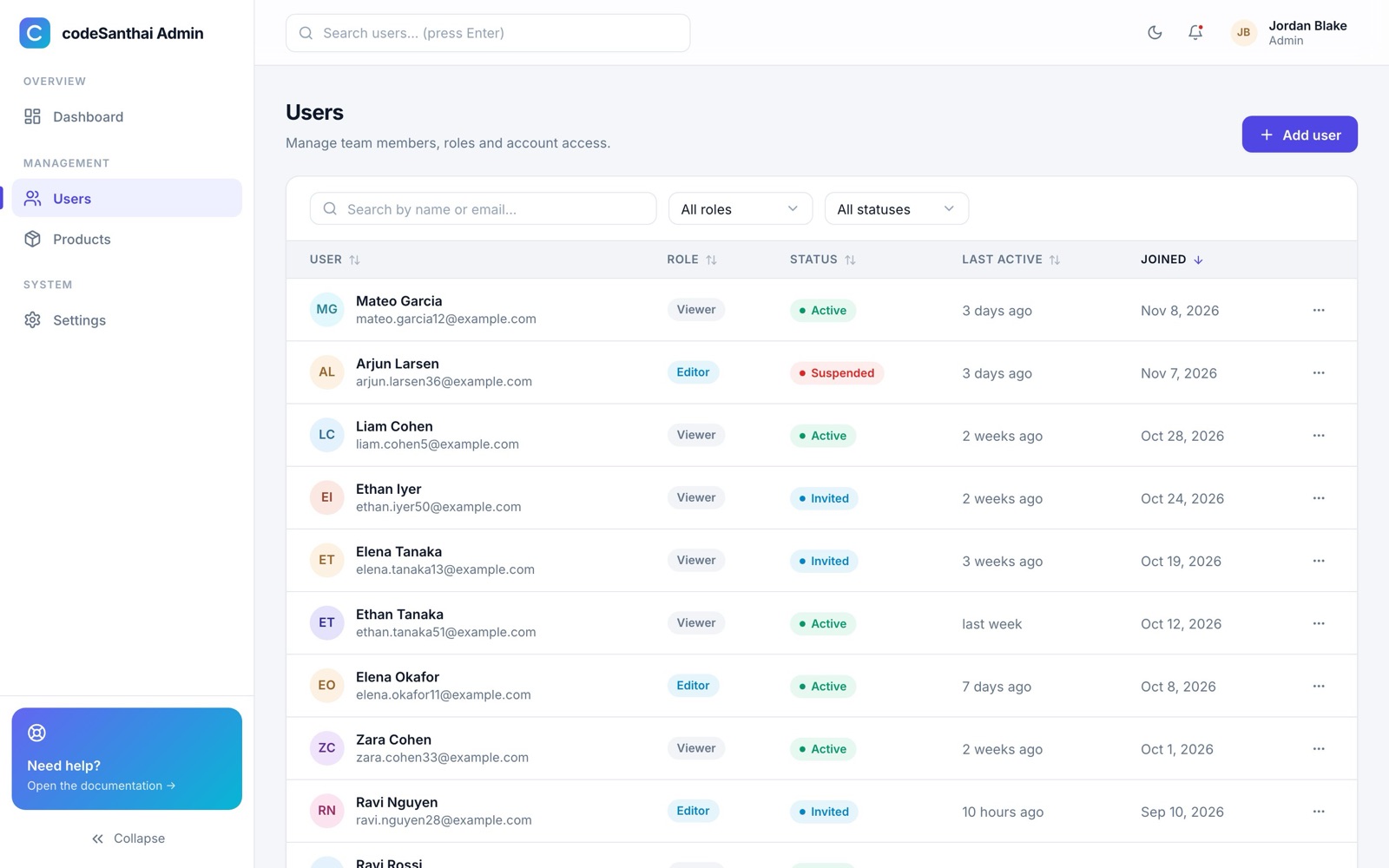
- Search by name or email. Requests are debounced, so typing doesn't flood your API.
- Filter by role and status, sort any column, choose 10, 20 or 50 rows per page.
- The ⋯ menu on each row edits or deletes. Delete asks for confirmation.
- The search box at the top of every page jumps to Users filtered by what you typed.
Products
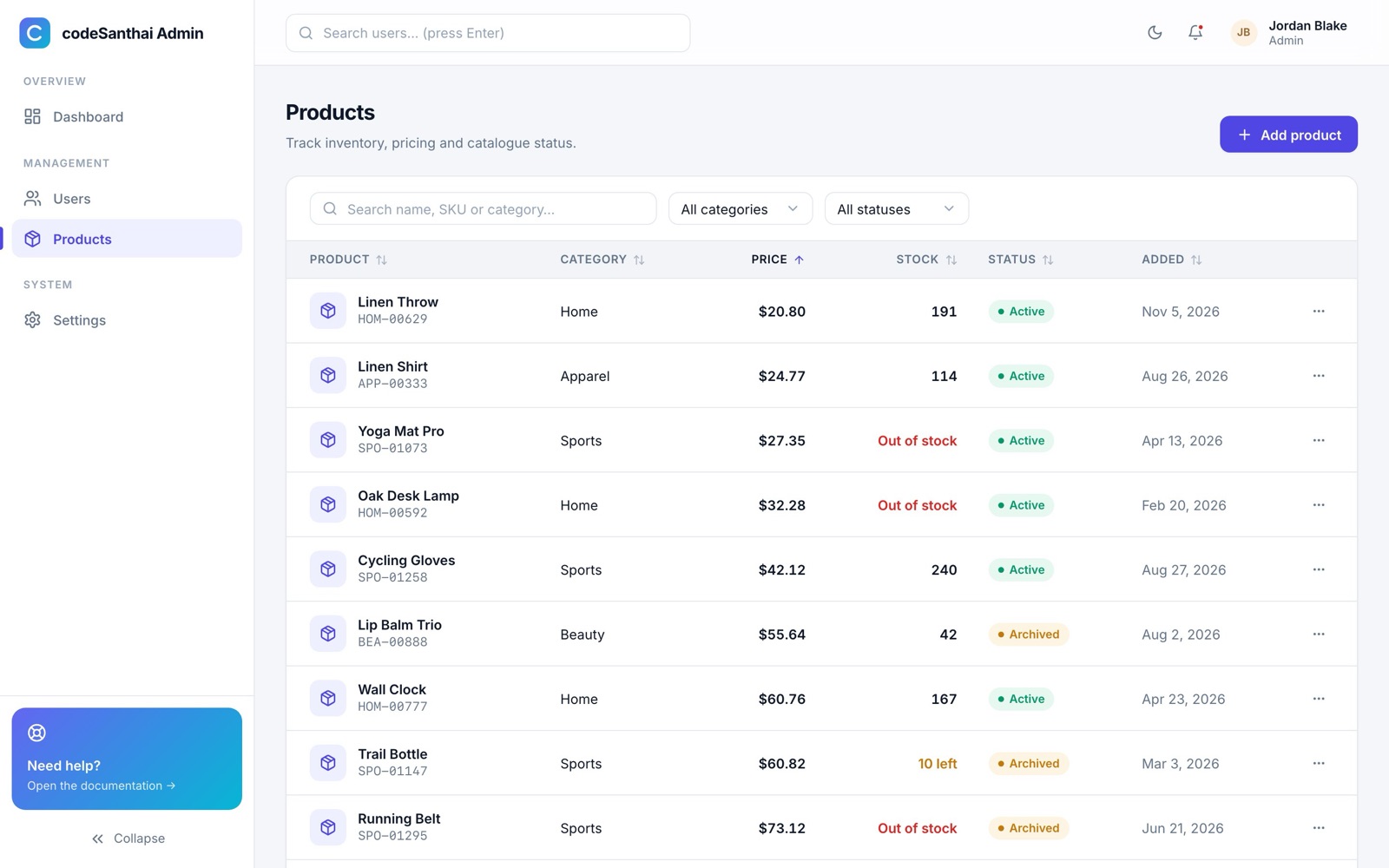
Products use exactly the same building blocks as Users: only the columns, filters and form fields differ. Stock shows Out of stock at 0 and “n left” at 12 or fewer. SKUs must be unique; the API's error is shown in the form.
Forms & validation
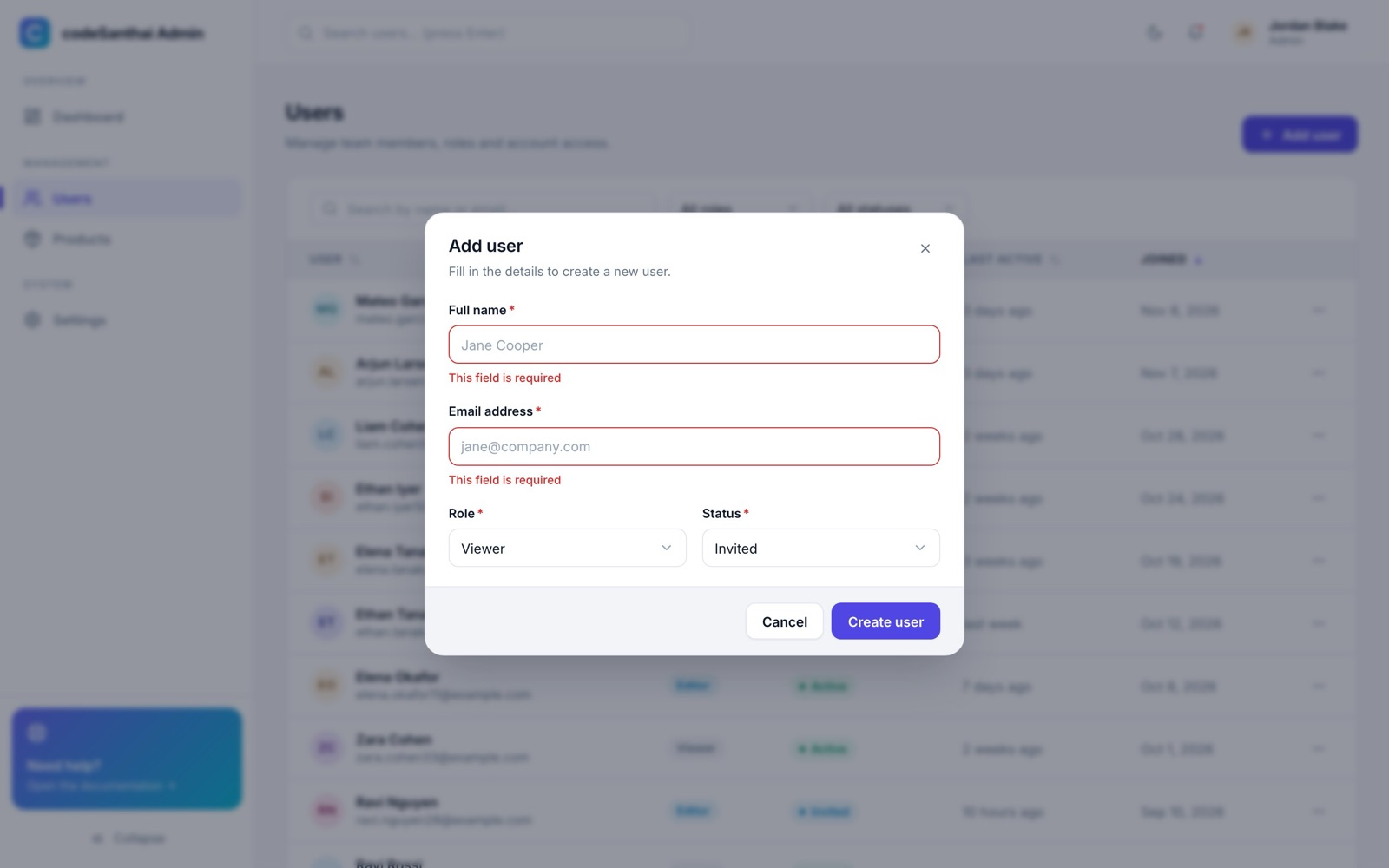
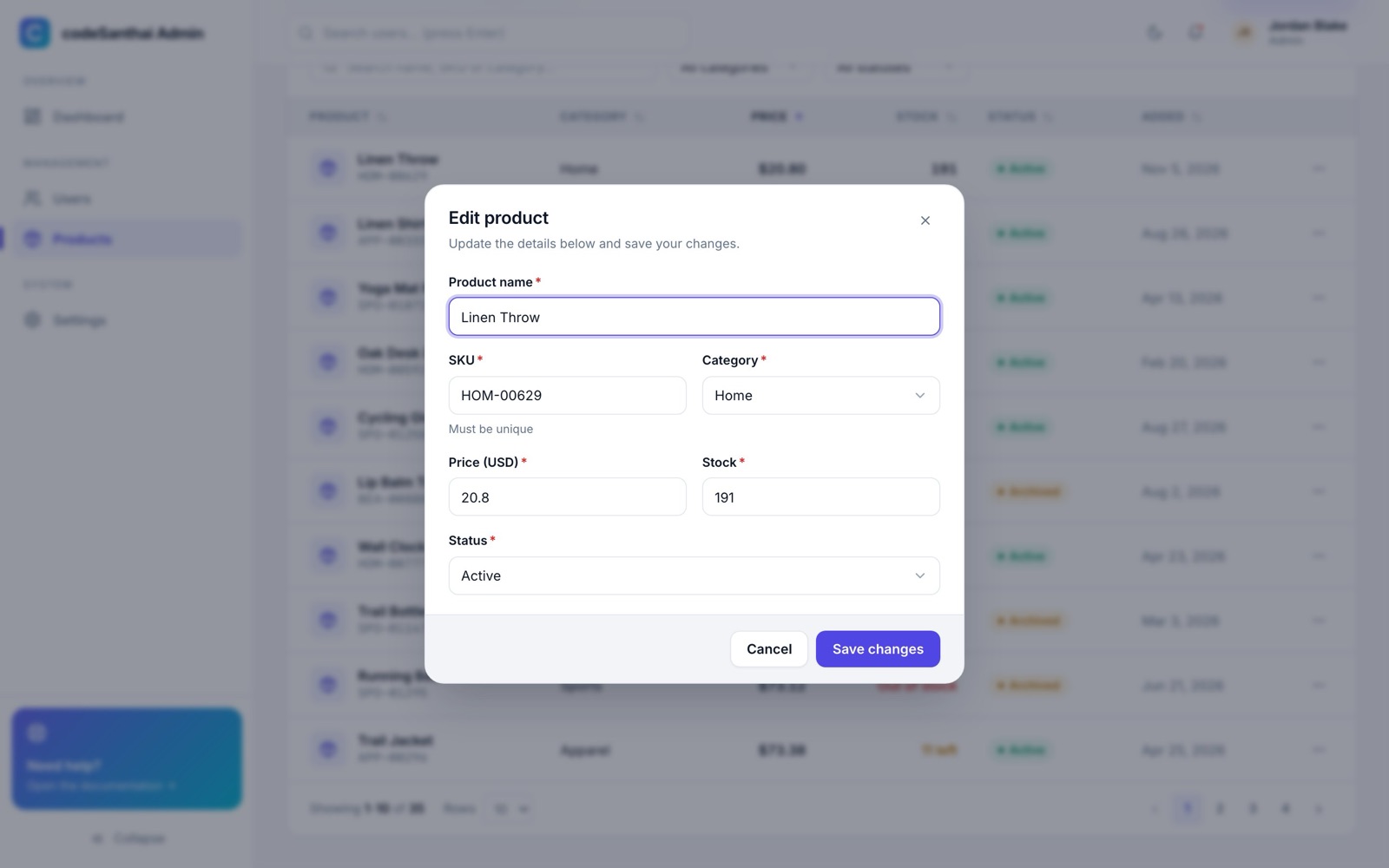
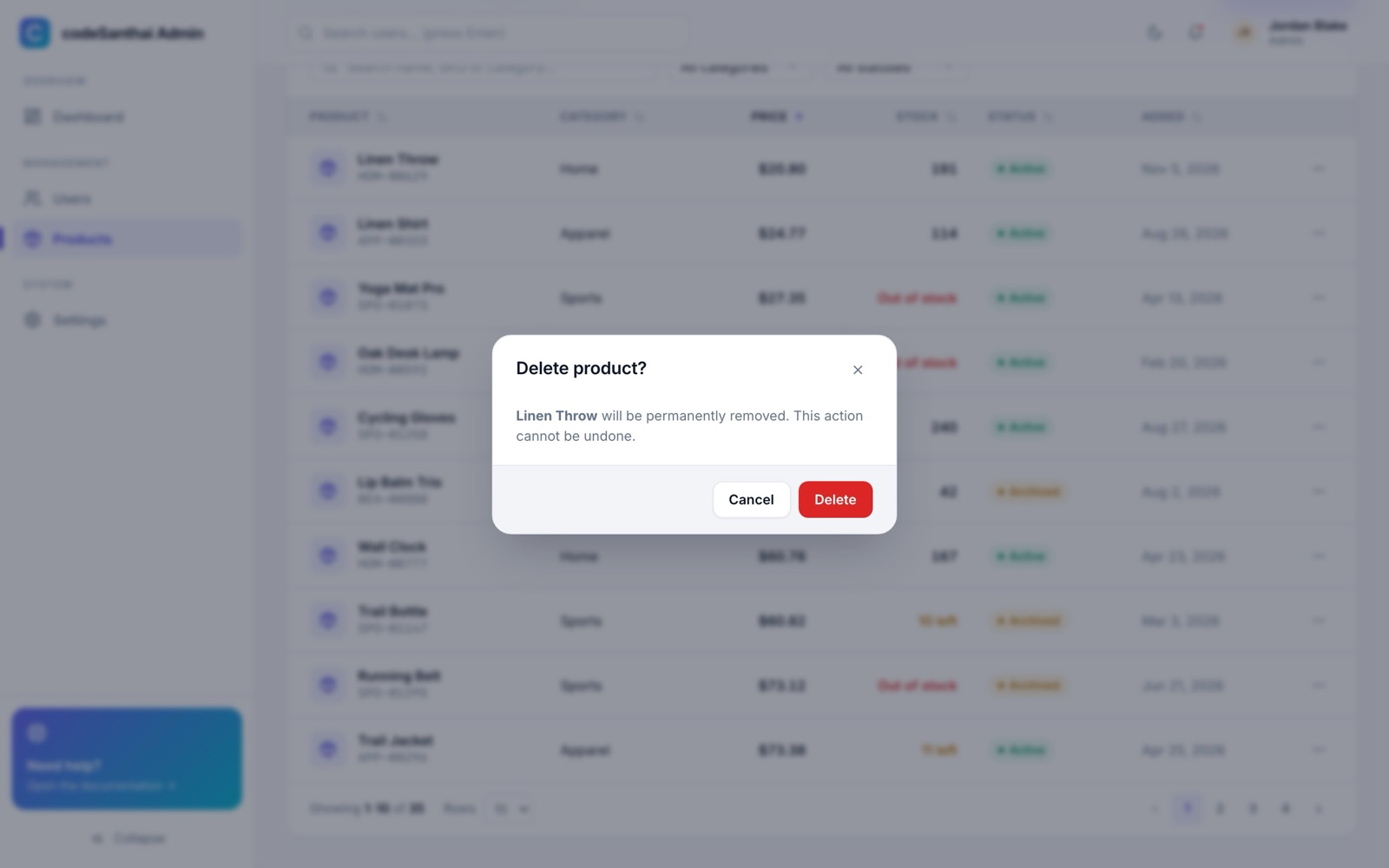
Saving shows a spinner on the button, then a success toast, and the list refreshes. Deleting asks first:
Settings & themes
Mobile
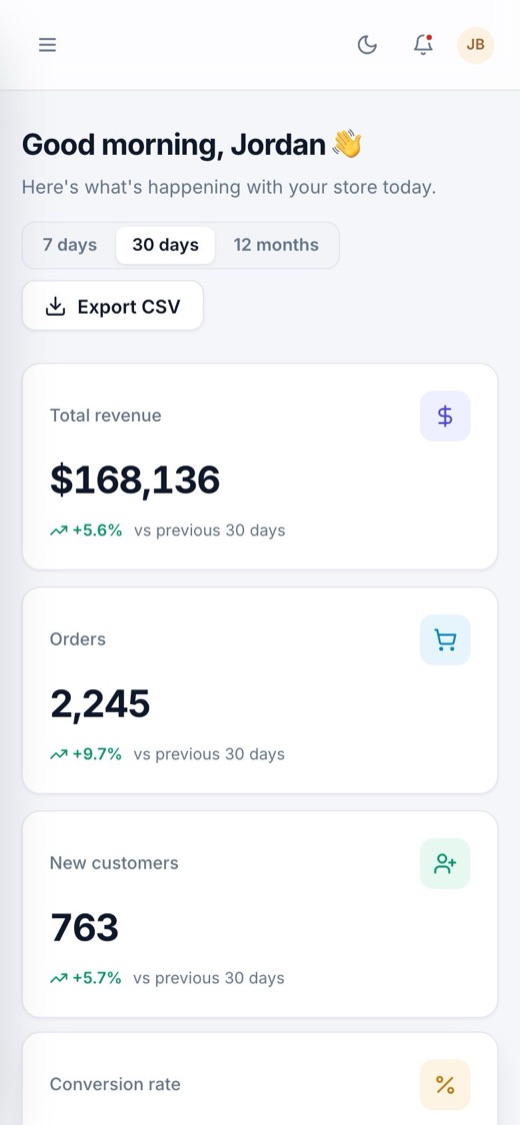
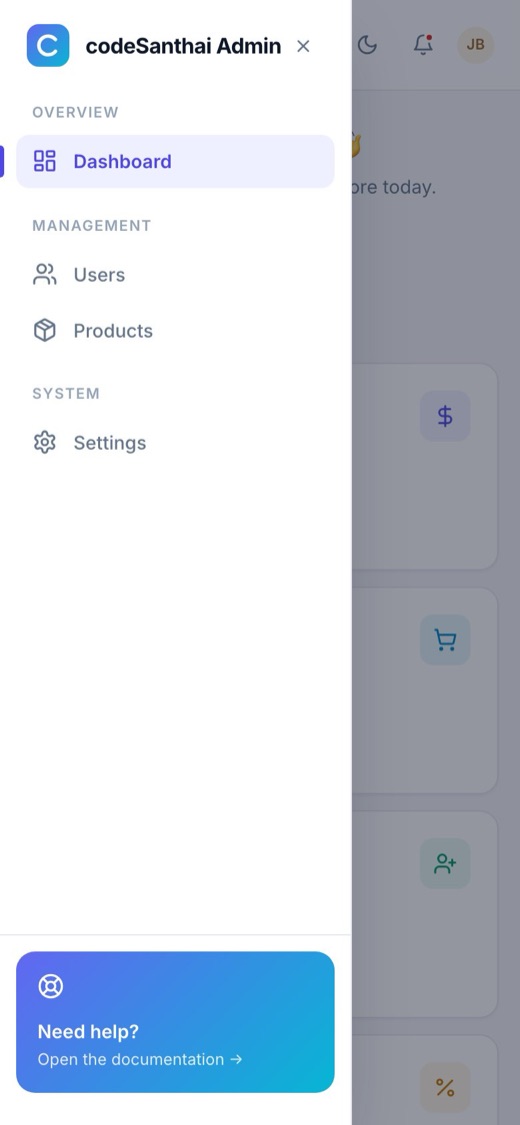
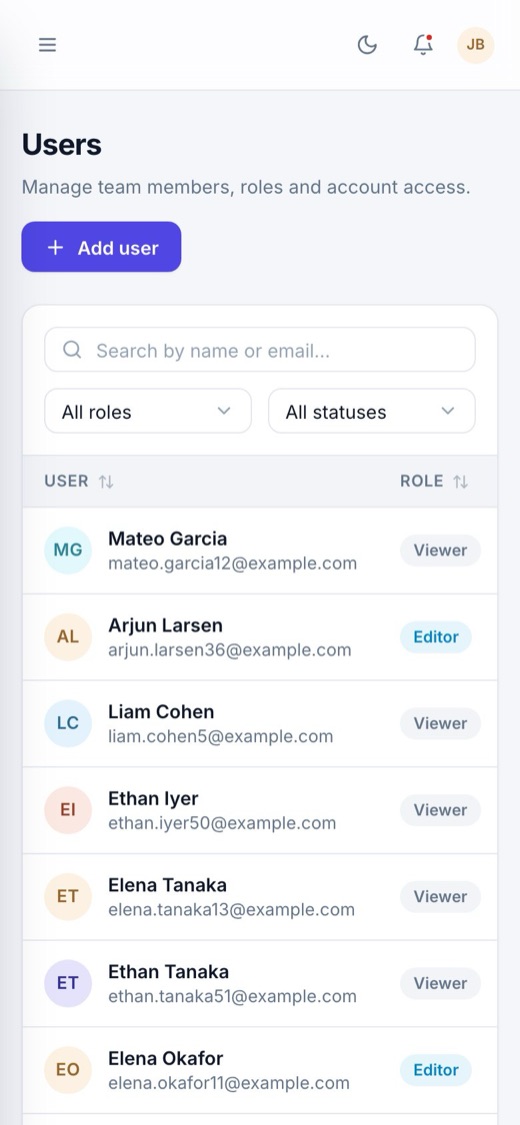
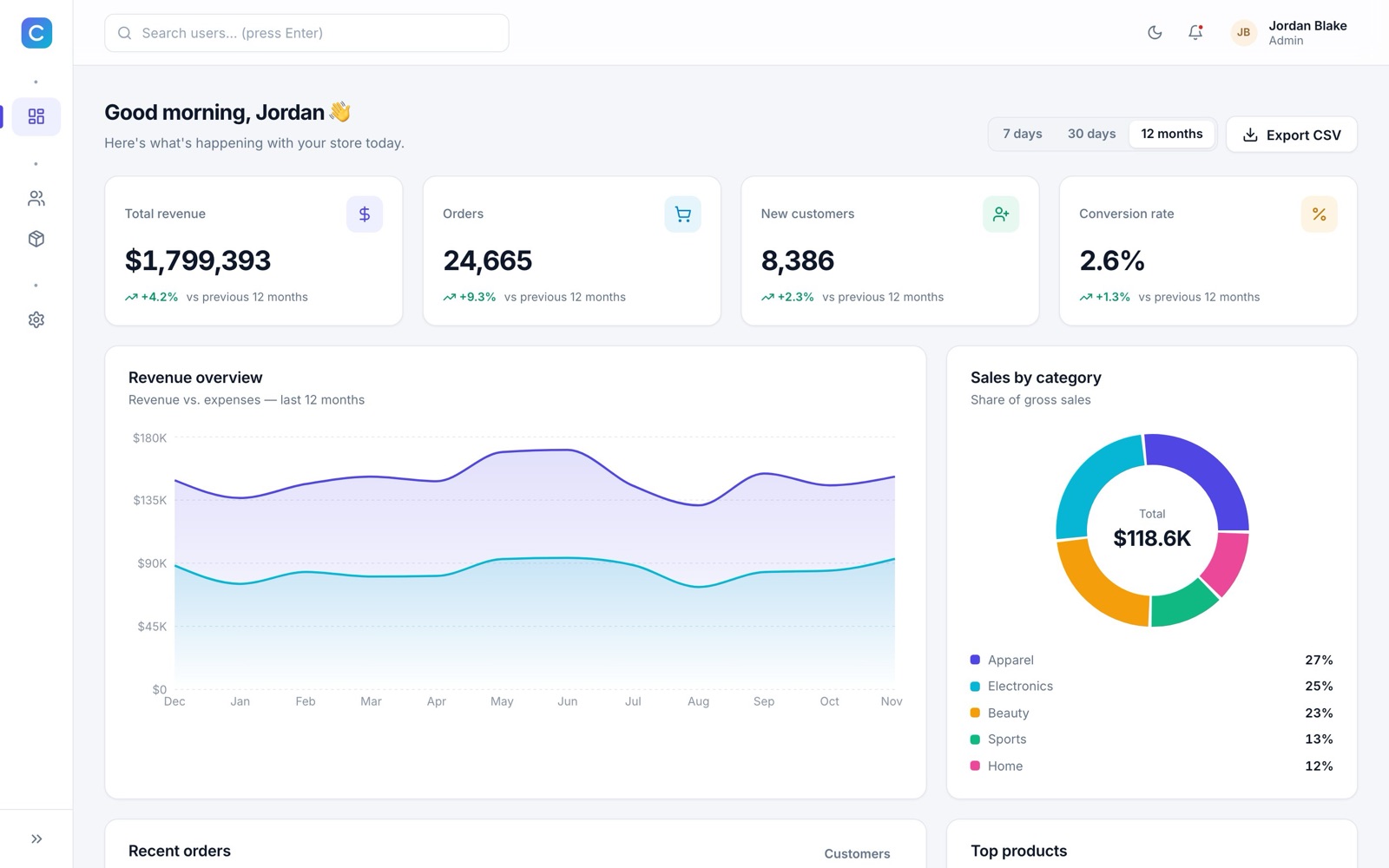
Below 1024 px the sidebar becomes a slide-in menu; less important table columns hide on small screens.
How the code is organised
Each domain lives in src/features/<name>/ with its slice, saga, service and page. Shared building blocks live in components/, hooks/ and store/factories/.
Component ──dispatch──▶ action ──▶ saga (takeLatest / debounce)
    ▲                                  │ call(service)
    │                                  ▼
useSelector ◀── reducer ◀── put(success | failure) ◀── httpClient ──▶ API or mock- Components never call the API. They dispatch actions and read state with selectors.
- Sagas own side effects: API calls, saving preferences, toasts, debounced search, cancelling stale requests.
- Errors are handled in one place (
store/sagaHelpers.js): failure action, toast, and logout on 401. - Each feature saga restarts on its own if it crashes, so one bug can't stop the rest of the app.
Adding a new CRUD page
Example: an Orders page with search, filters, sorting, pagination, create, edit and delete.
- Slice:
src/features/orders/ordersSlice.jsimport { createCrudSlice } from '@/store/factories/createCrudSlice'; import { createCrudSelectors } from '@/store/factories/createCrudSelectors'; const { actions, reducer } = createCrudSlice({ name: 'orders', initialQuery: { filters: { status: '' } }, }); export const ordersActions = actions; export const ordersSelectors = createCrudSelectors('orders'); export default reducer; - Saga:
src/features/orders/ordersSaga.jsexport default createCrudSaga({ actions: ordersActions, selectors: ordersSelectors, service: createCrudService('orders'), entityName: 'Order', }); - Register the reducer in
store/rootReducer.jsand the saga instore/rootSaga.js. - Configure columns, filters and form fields (copy
features/users/usersConfig.jsx) and render the page:export default function OrdersPage() { return ( <CrudPage resource={{ actions: ordersActions, selectors: ordersSelectors }} title="Orders" entityName="Order" getColumns={getOrderColumns} filters={ORDER_FILTERS} formFields={ORDER_FORM_FIELDS} /> ); } - Route and menu: add the path to
routes/paths.js, a route inroutes/AppRouter.jsxand an item inconfig/navigation.js.
Form field options
| Key | Example | Meaning |
|---|---|---|
name, label | 'price', 'Price' | Field key and label |
type | 'text' | 'email' | 'number' | 'password' | 'select' | Control type |
options | [{ value, label }] | Choices for select |
validate | [required(), minValue(0)] | Validators from utils/validators.js |
parse | Number | Converts the value before saving |
defaultValue, placeholder, hint | Display helpers | |
fullWidth | true | Span both columns |
UI components & hooks
Import components from @/components/ui. Each is a folder with its JSX and a CSS module.
| Component | Use for |
|---|---|
Button | primary / secondary / ghost / soft / danger, 3 sizes, loading, icons, as={Link} |
Input, Select, Switch, Field | Form controls with label, hint, error and ARIA wiring |
Card, PageHeader, StatCard | Layout surfaces and KPI tiles |
DataTable, Pagination | Config-driven table with sorting, skeletons and empty state |
Modal, ConfirmDialog | Focus-trapped dialogs |
Dropdown | Keyboard-navigable menus |
Badge, StatusBadge, Avatar | Status pills and initials avatars |
SegmentedControl, Skeleton, Spinner, EmptyState, ToastViewport | Feedback and small controls |
| Hook | Use for |
|---|---|
useForm | Values, errors, touched state, validation, getFieldProps(name) |
useCrudResource | Binds a CRUD slice to a page: state + setPage/setSort/setSearch/create/update/remove |
useEntityDialogs | Opens and closes create/edit/delete dialogs, closing them on success |
useTheme, useChartPalette | Current theme and chart colours |
useDisclosure, useClickOutside, useMediaQuery | Small UI helpers |
Show a toast from anywhere, including sagas: dispatch(showToast({ type: 'success', message: 'Saved' })).
Theming & branding
- Colours, spacing, radius, shadows:
src/styles/tokens.css, with a light and a dark set. Change--color-primary,--color-primary-hover,--color-primary-softand--gradient-brandto rebrand. - Chart colours:
src/config/theme.js. - Name:
VITE_APP_NAMEand the<title>inindex.html. - Logo and favicon:
src/components/layout/Logo.jsxandpublic/favicon.svg. - Menu:
src/config/navigation.js. Status labels and colours:src/config/status.js.
Tests & code quality
npm test runs 27 tests: reducers, the CRUD saga factory, validators, pagination, CSV export, components, and an end-to-end flow (login → dashboard → users → create a user → search) against the mock API. npm run lint runs ESLint with React and Hooks rules; npm run format runs Prettier.
Troubleshooting
| Problem | Fix |
|---|---|
| Refreshing a page gives 404 on the server | Add the rewrite rule for your host (Build & deploy), or use VITE_ROUTER_MODE=hash. |
| Blank page after uploading to a subfolder | Build with npx vite build --base ./ and use hash mode, or set base: '/subfolder/' in vite.config.js. |
Changes to .env have no effect | Variables are read at build time. Restart npm run dev or rebuild. |
| Signed out immediately after login with a real API | Check that /auth/me accepts the Authorization: Bearer header and that CORS allows it. |
| Records I added disappear on reload | Expected in mock mode: the mock database lives in memory. Connect your API for real storage. |
npm install fails | Use Node.js 20.19+ (22 LTS recommended). Delete node_modules and try again. |
FAQ
Does it include a backend?
No. It includes a complete in-browser mock API so you can design, demo and test without one, and a documented REST contract for connecting your own (Node.js, Laravel, Django, .NET, …).
Can I use it without Redux-Saga?
Yes, but sagas are where all data loading lives. Most buyers keep them and add new resources with the CRUD factory.
Is it TypeScript?
It is JavaScript with JSDoc comments, so editors show types and hints. It can be converted to TypeScript file by file.
Can I build a client project with it?
Yes, the Regular licence covers one project for you or one client. See Support & licence.
Credits
React, React DOM, React Router, Redux Toolkit, React Redux, Redux-Saga, Recharts, lucide-react, clsx, Vite, Vitest, Testing Library, ESLint and Prettier (all MIT or ISC). Font: Inter (SIL Open Font License), loaded from Google Fonts. Sample people and products are fictional.
Changelog
1.0.0 11 Nov 2026
First release.
Support & licence
Email gopinathsbc@gmail.com with your order number. Updates are free from My downloads on codesanthai.tech.
Regular licence: one project for you or one client. Extended licence: one project whose end users pay to use it (for example a SaaS product). Neither licence allows reselling or sharing the source code. Full terms are in LICENSE.txt.
© 2026 CodeSanthai · codeSanthai Admin v1.0.0